Notifications
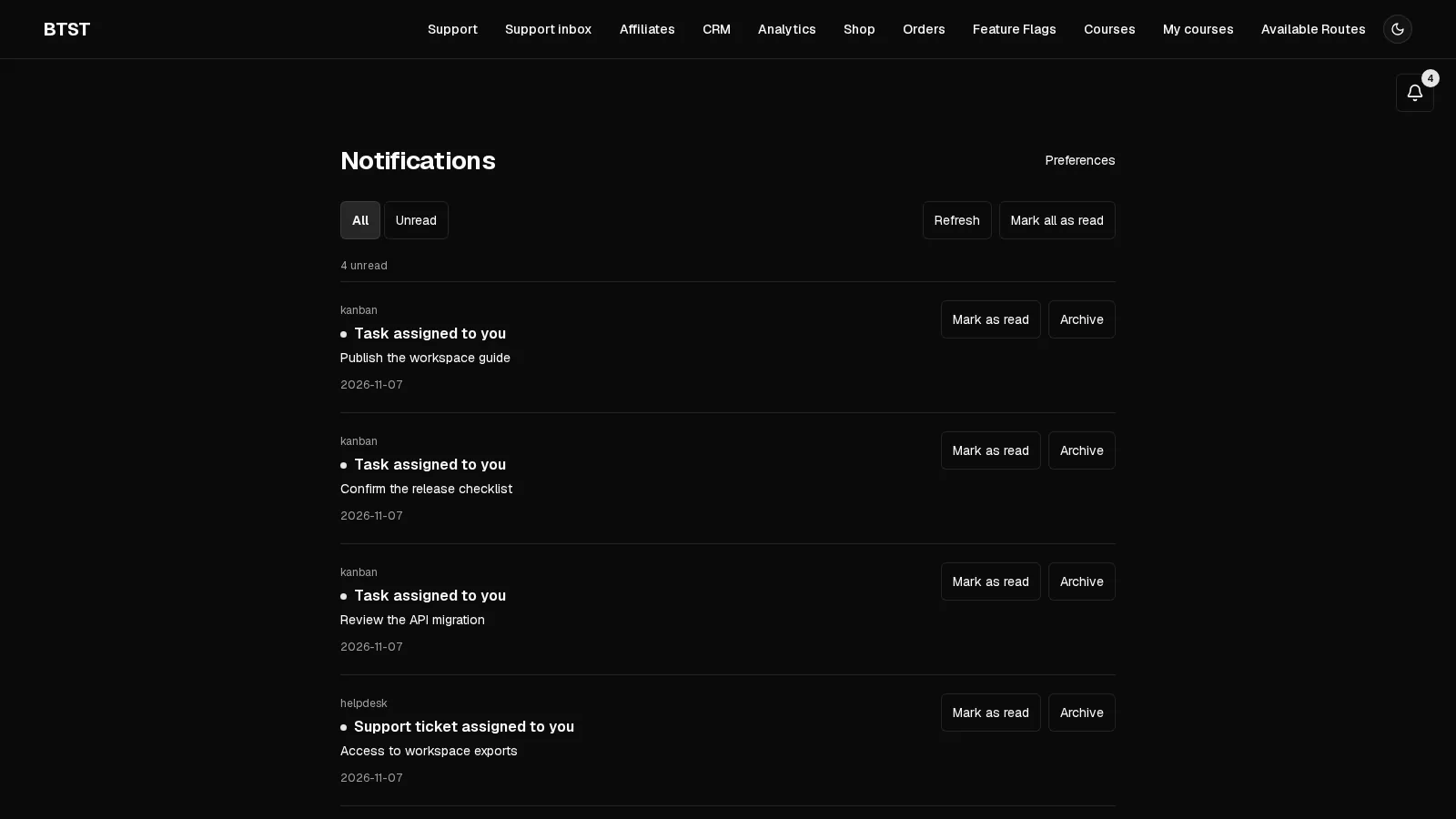
An in-app inbox, embeddable notification bell, and category delivery preferences
Best for
Teams adding account activity and product updates to an existing React application.
Keep recipients informed with an inbox and a notification bell inside your application.
BTST supplies
- An in-app notification inbox with unread counts and an embeddable NotificationBell
- Per-category in-app and email delivery preferences
- Authorized notification operations and SSR-aware inbox and preference routes
You supply
- A BTST database adapter
- Authenticated recipient identities and notification permission rules
- Notification categories and server-side producers
- An email delivery callback when email is enabled
You own and customize
Notifications and category preferences stay in your database. Your application owns recipient identities, authorization, notification producers, and optional email delivery.
Compatibility and dependencies
Maintained: Next.js 15+ App Router, React Router v7, TanStack Start.
Requires: A BTST database adapter.
External services: None required.
From registration to result
A semantic workflow, not a setup shortcut
- 1Define categories
Choose default in-app and email channels for each category.
- 2Send an update
Use an authorized server operation from a job or lifecycle hook.
- 3Read and configure
Recipients read their inbox and choose delivery preferences.
Install @btst/plugin-notifications alongside Core v6. Notifications owns its data models, authorized server operations, React hooks, UI, and CSS. It does not require Newsletter or an email provider for in-app delivery.
pnpm add @btst/stack@6.2.0 @btst/plugin-notifications@1.1.0@import "@btst/plugin-notifications/css";Register the plugin
import { notificationsBackendPlugin } from "@btst/plugin-notifications/api"

const plugins = {
  notifications: notificationsBackendPlugin({
    categories: [
      { id: "activity", label: "Activity", inApp: true, email: false },
      { id: "updates", label: "Product updates", inApp: true, email: false },
    ],
    onDeliverExternal: async (notification) => {
      await sendApplicationEmail(notification)
    },
  }),
}
Add this plugin map to createBackendStack, with your database adapter and request-aware auth. Categories define the choices shown in preferences and their defaults: inApp defaults to true, and email defaults to false. The optional external callback is called only when the recipient enables email for that category. Configure your application's email sender and recipient resolution in that callback. emailAdapter provides the equivalent adapter form.
Register the client on the same canonical key:
import { notificationsClientPlugin } from "@btst/plugin-notifications/client"

const clientStack = createClientStack({
  api: { baseURL: "https://example.com", basePath: "/api/data" },
  site: { baseURL: "https://example.com", basePath: "/pages" },
  queryClient,
  plugins: { notifications: notificationsClientPlugin() },
})
The plugin adds /notifications and /notifications/preferences, relative to the configured site base path. Both routes prefetch on the server. Pass identityPartition: requestIdentity to the client plugin in request-scoped SSR stacks so prefetched data uses the same recipient cache partition as browser hooks. Forward request credentials through the shared client runtime, as for other protected plugins.
Authorization
Register notificationsPermissions in your shared authorization contract. Inbox and preference operations derive the recipient from the authenticated identity. Individual notification actions carry authoritative id and recipientId facts; the backend also enforces ownership.
import { notificationsPermissions } from "@btst/plugin-notifications/permissions"

const authorization = defineAuthorization({
  identity: identitySchema,
  permissions: [notificationsPermissions] as const,
  rules: ({ notifications }) => [
    notifications.inbox.read.when(({ identity }) => identity !== null),
    notifications.inbox.markAllAsRead.when(({ identity }) => identity !== null),
    notifications.preferences.read.when(({ identity }) => identity !== null),
    notifications.preferences.update.when(({ identity }) => identity !== null),
    notifications.notification.markAsRead.when(
      ({ identity, facts }) => identity?.id === facts.recipientId,
    ),
    notifications.notification.archive.when(
      ({ identity, facts }) => identity?.id === facts.recipientId,
    ),
  ],
})
Sending is denied unless your authorization rules explicitly allow notification.send. Server jobs and already-authorized lifecycle hooks can call the trusted operation instead. Trusted operations keep validation and lifecycle behavior.
Send a notification
await myStack.trusted.notifications.sendNotification({
  recipientId: user.id,
  category: "activity",
  title: "Your export is ready",
  body: "Download the latest project export.",
  href: "/exports",
})
sendNotification returns { notification, emailDelivered }. The in-app record is null when in-app delivery is disabled. Preferences apply independently to the two channels. External delivery errors propagate to the caller; the in-app record may already have been persisted, so callers should avoid blindly retrying both channels.
Connect plugin lifecycle events
The Notifications API exports opt-in hook factories. Source plugins remain usable without Notifications installed. Each bridge calls the supplied sendNotification operation, so category preferences and delivery callbacks apply to these events too.
| Factory | Event and recipient | Extra configuration |
|---|---|---|
createCommentsNotificationHooks | Approved reply to the parent comment's author | getParentAuthorId(parentId) |
createKanbanNotificationHooks | New task assignment to the assignee | None |
createCalendarNotificationHooks | Confirmation, reschedule, or cancellation to host and attendee | resolveAttendeeId(booking) |
createFeedbackNotificationHooks | Status transition to the post's voters | getVoterIds(postId) |
createHelpdeskNotificationHooks | Assignment/customer reply to the agent; public agent reply/resolution to the requester | None |
Register categories with IDs comments, kanban, calendar, feedback, or helpdesk for the bridges you enable. Pass each factory's result as the source plugin's hooks:
import { createCommentsNotificationHooks, notificationsBackendPlugin } from "@btst/plugin-notifications/api"
import { commentsBackendPlugin, getCommentById } from "@btst/plugin-comments/api"

const commentsHooks = createCommentsNotificationHooks({
  sendNotification: (input) => myStack.trusted.notifications.sendNotification(input),
  getParentAuthorId: async (parentId) =>
    (await getCommentById(myStack.adapter, parentId))?.authorId ?? null,
})

// Inside createBackendStack({ plugins: ... }):
const plugins = {
  notifications: notificationsBackendPlugin({
    categories: [{ id: "comments", label: "Comments" }],
  }),
  comments: commentsBackendPlugin({ hooks: commentsHooks }),
}
The callbacks run after stack initialization. Feedback can use the server-only getFeedbackVoterIds(myStack.adapter, postId) getter from @btst/plugin-feedback/api. These direct getters bypass operation authorization; use them only inside trusted server integrations.
Calendar stores an attendee's email, not their application user ID. Supply resolveAttendeeId using your application's identity directory. Return null when no user matches; the host still receives the notification. Never use an email address as a recipient ID or assume the actor rescheduling a booking is its attendee. Helpdesk internal notes never trigger requester notifications, and notification payloads omit Helpdesk message bodies and private booking tokens.
Bridge errors propagate after the source write has committed; delivery is not atomic with that write. If you already have lifecycle hooks, call both handlers explicitly for overlapping events instead of overwriting one with an object spread.
@btst/codegen init wires these bridges and category IDs automatically when notifications and a supported source plugin are selected together. The generated Calendar resolver is a TODO that returns null; configure the email-to-user-ID lookup to enable attendee notifications. Existing Calendar Affiliate and Analytics hooks are preserved.
Embed the bell
Render the bell inside the application's StackProvider and React Query provider:
import { NotificationBell } from "@btst/plugin-notifications/client/components"

function Navigation() {
  return <nav><NotificationBell /></nav>
}
The bell displays the unread count and opens a recent-notification popover. It links to the inbox and preferences. It hides while identity is unresolved or anonymous. Inbox actions mark individual or all notifications as read and archive notifications. Preferences offer separate in-app and email controls for each configured category.
Import data hooks from @btst/plugin-notifications/client/hooks, query key helpers from @btst/plugin-notifications/query-keys, permission descriptors from @btst/plugin-notifications/permissions, and public records from @btst/plugin-notifications/types.
Server operations and persistence
The authorized inventory is listNotifications, markAsRead, markAllAsRead, archiveNotification, getPreferences, updatePreferences, and sendNotification. Request-bound operations use myStack.forRequest(request).operations.notifications. Explicitly trusted operations also accept recipientId for background work.
Persistent adapters need the notification and notificationPreference models from the plugin schema. Generate and apply your database migration before enabling the plugin. Existing plugin data is unaffected. The in-memory adapter requires no migration.
Page-scoped presentation
overrides.notifications.pageOverrides.inbox.NotificationRow on StackProvider replaces inbox rows. Components receive { item: Notification } and should render a list item. Inbox filtering, pagination, and mark-all controls remain package-owned.
overrides={{
  notifications: {
    pageOverrides: {
      inbox: { NotificationRow: ({ item }) => <li>{item.title}</li> },
    },
  },
}}
The inbox uses the custom row; the companion notification bell retains its built-in rows. A missing override uses the built-in row, including read/archive actions and permission checks. A custom row owns its row presentation and any per-notification actions. Preferences edit settings rather than notifications and expose no row slot. Localization and whole-page replacements retain their behavior.