AI Chat Plugin
AI-powered chat functionality with conversation history, streaming, sidebar navigation, and customizable models
Best for
React teams that already know which AI SDK model provider they want and need chat history, tools, and product UI inside their app.
Add a streaming conversation surface while choosing the model, access policy, and operating limits yourself.
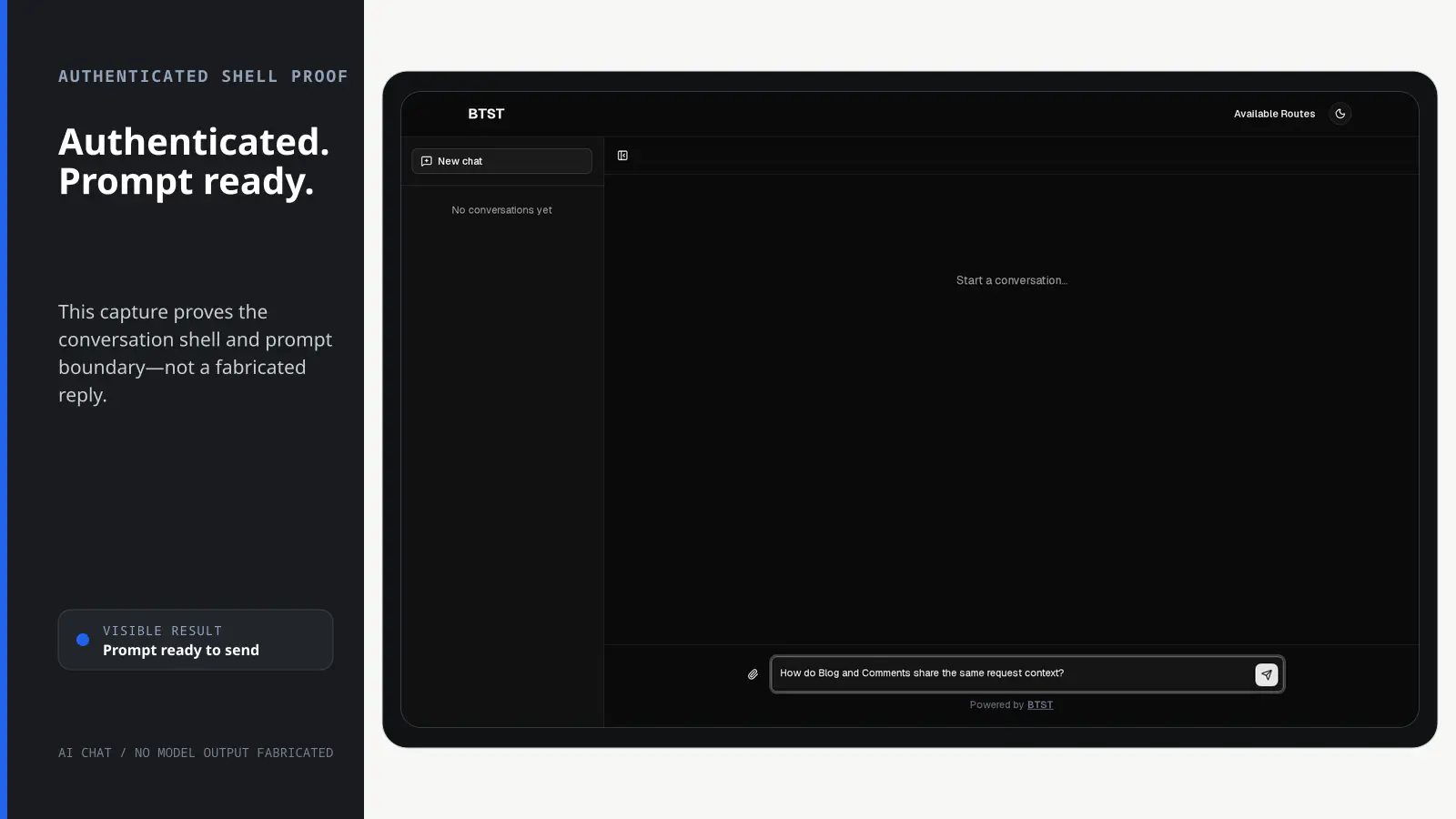
BTST supplies
- Streaming chat APIs with typed tool, attachment, and lifecycle boundaries
- Conversation and message models for authenticated history
- SSR-aware conversation list and chat routes
- Customizable chat pages, hooks, and prompt UI
You supply
- An AI SDK model provider, credentials, usage policy, and provider billing
- A database adapter with isolated transactions for authenticated history
- Authorization rules for authenticated access, tools, and attachments
- An upload implementation when file attachments are enabled
You own and customize
You select and pay the model provider. Authenticated history stays in your database, and ejected chat pages become editable application code while streaming and data behavior remain packaged.
Compatibility and dependencies
Maintained: Next.js 15+ App Router, React Router v7, TanStack Start.
Requires: An AI SDK language model; A database adapter with isolated transaction support for authenticated persistence.
External services: The adopter-selected AI model provider receives prompts and generates responses.
From registration to result
A semantic workflow, not a setup shortcut
- 1Choose a model
Pass an AI SDK model and keep its credentials in your server environment.
- 2Set access
Use authenticated persistence with typed rules or choose explicit stateless public mode.
- 3Stream
Run prompts, tools, and optional attachments through the supplied chat route.
- 4Keep context
Store identity-scoped conversations in your database when authenticated mode is enabled.
Installation
Ensure you followed the general framework installation guide first.
Follow these steps to add the AI Chat plugin to your BTST setup.
1. Add Plugin to Backend API
Import and register the AI Chat backend plugin in your stack.ts file:
import { createBackendStack } from "@btst/stack/api"
import { defineAuthorization } from "@btst/stack/authorization"
import { createServerAuth } from "@btst/stack/authorization/server"
import { aiChatBackendPlugin } from "@btst/stack/plugins/ai-chat/api"
import { aiChatPermissions } from "@btst/stack/plugins/ai-chat/permissions"
import { openai } from "@ai-sdk/openai"
import { z } from "zod"
// ... your adapter imports

// Browser-safe: put this in a shared authorization.ts module when the
// frontend and backend live in the same codebase.
export const authorization = defineAuthorization({
  identity: z.object({
    id: z.string(),
    role: z.enum(["user", "admin"]),
  }),
  permissions: [aiChatPermissions] as const,
  rules: ({ aiChat }) => {
    const owns = (
      identity: { id: string; role: "user" | "admin" } | null,
      ownerId?: string,
    ) => identity !== null && (identity.role === "admin" || identity.id === ownerId)
    const canStart = (
      identity: { id: string; role: "user" | "admin" } | null,
      ownerId?: string,
    ) => identity !== null && (ownerId === undefined || owns(identity, ownerId))

    return [
      aiChat.conversation.read.when(({ identity, facts }) =>
        facts.scope === "collection" ? identity !== null : owns(identity, facts.ownerId),
      ),
      aiChat.conversation.create.when(({ identity }) => identity !== null),
      aiChat.conversation.update.when(({ identity, facts }) => owns(identity, facts.ownerId)),
      aiChat.conversation.delete.when(({ identity, facts }) => owns(identity, facts.ownerId)),
      aiChat.message.send.when(({ identity, facts }) =>
        facts.createsConversation ? identity !== null : owns(identity, facts.ownerId),
      ),
      aiChat.message.edit.when(({ identity, facts }) => owns(identity, facts.ownerId)),
      aiChat.message.retry.when(({ identity, facts }) => owns(identity, facts.ownerId)),
      aiChat.attachment.send.when(({ identity, facts }) => canStart(identity, facts.ownerId)),
      aiChat.tool.activate.when(({ identity, facts }) => canStart(identity, facts.ownerId)),
      aiChat.stream.start.when(({ identity, facts }) =>
        facts.createsConversation ? identity !== null : owns(identity, facts.ownerId),
      ),
    ]
  },
})

const serverAuth = createServerAuth({
  authorization,
  getIdentity: async ({ headers }) => {
    const token = headers.get("authorization")
    if (!token) return null
    const user = await verifyToken(token)
    return user ? { id: user.id, role: user.role } : null
  },
})

const { handler, dbSchema } = createBackendStack({
  basePath: "/api/data",
  auth: serverAuth,
  plugins: {
    aiChat: aiChatBackendPlugin({
      model: openai("gpt-4o"), // Or any LanguageModel from AI SDK
      access: "authorized", // Default; use "public" only intentionally
      systemPrompt: "You are a helpful assistant.", // Optional
      tools: {}, // Optional: AI SDK v5 tools
    })
  },
  adapter: (db) => createMemoryAdapter(db)({})
})

export { handler, dbSchema }
The aiChatBackendPlugin() accepts optional lifecycle hooks for domain behavior, logging, rate limits, and tool safety. Identity/role/ownership policy belongs in the typed rules above.
Authorized AI Chat streams persist conversation and message history. Production
database adapters must therefore provide real isolated transactions so the
final authorization/CAS check, lifecycle hooks, and persistence commit as one
unit. Set transaction: true on supported Prisma, Drizzle, and Kysely adapters;
otherwise authorized streaming and owner-sensitive history mutations fail
closed with ATOMIC_TRANSACTION_REQUIRED. The CLI enables this option when AI
Chat is selected. The memory adapter remains available for local,
single-process development, and explicit public mode does not persist history.
Model Configuration: You can use any model from the AI SDK, including OpenAI, Anthropic, Google, and more. Make sure to install the corresponding provider package (e.g., @ai-sdk/openai) and set up your API keys in environment variables.
2. Add Plugin to Client
Register the AI Chat client plugin in your stack-client.tsx file:
import { createClientStack } from "@btst/stack/client"
import { aiChatClientPlugin } from "@btst/stack/plugins/ai-chat/client"
import { QueryClient } from "@tanstack/react-query"

const getBaseURL = () =>
  typeof window !== 'undefined'
    ? (process.env.NEXT_PUBLIC_BASE_URL || window.location.origin)
    : (process.env.BASE_URL || "http://localhost:3000")

export const getStackClient = (
  queryClient: QueryClient,
  options?: { headers?: Headers; identity?: { id: string; role: "user" | "admin" } },
) => {
  const baseURL = getBaseURL()
  return createClientStack({
    api: {
      baseURL,
      basePath: "/api/data",
      ...(options?.headers ? { headers: options.headers } : {}),
    },
    site: { baseURL, basePath: "/pages" },
    queryClient,
    plugins: {
      aiChat: aiChatClientPlugin({
        identityPartition: options?.identity,
        // Client conversation UI/persistence mode
        mode: "authenticated", // "authenticated" (default) or "public"
        // Optional: SEO configuration
        seo: {
          siteName: "My Chat App",
          description: "AI-powered chat assistant",
        },
      })
    }
  })
}
The stack owns the shared API location, site location, request headers, and
QueryClient. aiChatClientPlugin() accepts only AI Chat choices such as mode,
SEO, loader hooks, page overrides, and the optional SSR identity partition.
Server request headers belong only on createClientStack({ api: { headers } }).
For an intentionally public cross-origin AI Chat endpoint, use
endpoints.aiChat.api with explicit browserHeaders and credentials; sensitive
headers such as authorization and cookie are rejected from the browser projection.
Migrating to RC3: move apiBaseURL, apiBasePath, siteBaseURL,
siteBasePath, queryClient, and headers out of aiChatClientPlugin() and
into the top-level client stack shown above. Rename the provider override key
from "ai-chat" to aiChat, pass the resolved stack to StackProvider, remove
the manual provider generic/override map, and rename the loader error hook from
onLoadError to onErrorLoad. Configure mode only in
aiChatClientPlugin(); the resolved stack carries it to browser components.
The package path and /chat URL do not change.
3. Import Plugin CSS
Add the AI Chat plugin CSS to your global stylesheet:
@import "@btst/stack/plugins/ai-chat/css";This includes all necessary styles for the chat components and markdown rendering.
4. Add the Context Provider
Pass the resolved client stack to StackProvider; it supplies the API/site
runtime and infers the exact aiChat override type. Keep only framework routing
and AI Chat-specific values on the provider:
"use client"
import { useMemo } from "react"
import { StackProvider } from "@btst/stack/context"
import { nextRouter } from "@btst/stack/next"
import { QueryClientProvider } from "@tanstack/react-query"
import { getOrCreateQueryClient } from "@/lib/query-client"
import { getStackClient, type StackClientOptions } from "@/lib/stack-client"

export default function Layout({ children, clientOrigins }: {
  children: React.ReactNode
  clientOrigins: StackClientOptions
}) {
  const queryClient = getOrCreateQueryClient()
  const stack = useMemo(
    () => getStackClient(queryClient, clientOrigins),
    [clientOrigins.apiOrigin, clientOrigins.siteOrigin, queryClient],
  )

  return (
    <QueryClientProvider client={queryClient}>
      <StackProvider
        stack={stack}
        router={nextRouter()}
        overrides={{
          aiChat: {
            uploadFile: async (file) => {
              // Implement your file upload logic
              return "https://example.com/uploads/file.pdf"
            },
          }
        }}
      >
        {children}
      </StackProvider>
    </QueryClientProvider>
  )
}import { useState } from "react"
import { Outlet } from "react-router"
import { StackProvider } from "@btst/stack/context"
import { reactRouter } from "@btst/stack/react-router"
import { QueryClientProvider, QueryClient } from "@tanstack/react-query"
import { getStackClient } from "~/lib/stack-client"
export default function Layout() {
const [queryClient] = useState(() => new QueryClient())
const stack = getStackClient(queryClient)
return (
<QueryClientProvider client={queryClient}>
<StackProvider
stack={stack}
router={reactRouter()}
overrides={{
aiChat: {
uploadFile: async (file) => {
return "https://example.com/uploads/file.pdf"
},
}
}}
>
<Outlet />
</StackProvider>
</QueryClientProvider>
)
}import { useState } from "react"
import { StackProvider } from "@btst/stack/context"
import { tanstackRouter } from "@btst/stack/tanstack"
import { QueryClientProvider, QueryClient } from "@tanstack/react-query"
import { Outlet } from "@tanstack/react-router"
import { getStackClient } from "@/lib/stack-client"
function Layout() {
const [queryClient] = useState(() => new QueryClient())
const stack = getStackClient(queryClient)
return (
<QueryClientProvider client={queryClient}>
<StackProvider
stack={stack}
router={tanstackRouter()}
overrides={{
aiChat: {
uploadFile: async (file) => {
return "https://example.com/uploads/file.pdf"
},
}
}}
>
<Outlet />
</StackProvider>
</QueryClientProvider>
)
}Optional overrides:
uploadFile: Function to upload files and return their URLallowedFileTypes: Array of allowed file type categories (default: all types)chatSuggestions: Array of suggested prompts shown in empty chat statelocalization: Custom localization strings
5. Generate Database Schema
After adding the plugin, generate your database schema using the CLI:
npx @btst/cli generate --orm prisma --config lib/stack.ts --output prisma/schema.prismaThis will create the necessary database tables for conversations and messages. Run migrations as needed for your ORM.
For more details on the CLI and all available options, see the CLI documentation.
Congratulations, You're Done! 🎉
Your AI Chat plugin is now fully configured and ready to use! Here's a quick reference of what's available:
Access modes
The AI Chat plugin supports two distinct modes:
Authorized access (default)
- Conversation persistence in database
- Identity-scoped data from the request's validated server identity
- Full UI with sidebar and conversation history
- Routes:
/chat(new/list) and/chat/:id(existing conversation)
Public Mode
- No persistence (stateless)
- Simple UI without sidebar
- Ideal for public-facing chatbots
- Single route:
/chat
API Endpoints
The AI Chat plugin provides the following API endpoints, mounted at the resolved
AI Chat API location. Configure that location with
createClientStack({ endpoints: { aiChat: { api: { ... } } } }); otherwise it
inherits the stack's top-level api location.
- POST
/chat- Send a message and receive streaming response - GET
/chat/conversations- List all conversations (authenticated mode only) - GET
/chat/conversations/:id- Get a conversation with messages - POST
/chat/conversations- Create a new conversation - PUT
/chat/conversations/:id- Rename a conversation; the title is trimmed and must not be empty - DELETE
/chat/conversations/:id- Delete a conversation
In authorized mode, the streaming response includes X-Conversation-Id as soon as the backend has resolved or created the authoritative conversation. The built-in client uses that header to bind streamed message controls to persisted IDs even when the history-list refresh is delayed or fails. A separately deployed backend that implements the BTST contract must preserve this header; cross-origin deployments must also expose it through CORS.
Page Routes
The AI Chat plugin automatically creates the following pages, mounted at the
resolved AI Chat site location. Configure that location with
createClientStack({ endpoints: { aiChat: { site: { ... } } } }); otherwise it
inherits the stack's top-level site location.
Authenticated mode:
/chat- Start a new conversation (with sidebar showing history)/chat/:id- Resume an existing conversation
Public mode:
/chat- Simple chat interface without history
Features
- Full-page Layout: Responsive chat interface with collapsible sidebar
- Conversation Sidebar: View, rename, and delete past conversations
- Streaming Responses: Real-time streaming of AI responses using AI SDK v5
- Markdown Support: Full markdown rendering with code highlighting
- File Uploads: Attach images, PDFs, and text files to messages
- Tools Support: Use AI SDK v5 tools for function calling
- Customizable Models: Use any LanguageModel from the AI SDK
- Typed Authorization: Reuse the same schema-backed rules for browser hints and authoritative server checks
- Localization: Customize all UI strings
Page Component Overrides
You can replace any built-in page with your own React component using the optional pageComponents field in aiChatClientPlugin(config). The built-in component is used as the fallback whenever an override is not provided. Overrides for parameterized routes receive the route context ({ params }) as props.
aiChatClientPlugin({
  // ... other config
  pageComponents: {
    // Replace the chat home page
    chat: MyCustomChatPage,
    // Replace the conversation page (authenticated mode only)
    // receives the route context as props
    chatConversation: ({ params }) => (
      <MyCustomConversationPage conversationId={params.id} />
    ),
  },
})
Adding Authorization
AI Chat publishes its browser-safe catalog from @btst/stack/plugins/ai-chat/permissions. Bind the same authorization definition to createClientAuth() for presentation and createServerAuth() for enforcement:
import { createClientAuth } from "@btst/stack/authorization/client"
import { authorization } from "./authorization"

const clientAuth = createClientAuth({
  authorization,
  getIdentity: () => session?.user ?? null,
  loginPath: "/sign-in",
})

<StackProvider
  stack={stack}
  auth={clientAuth}
  initialIdentity={initialIdentity}
  // ...
>
  {children}
</StackProvider>
The built-in route, new-chat, rename, delete, send, edit, retry, attachment, and tool controls construct exact descriptors from rendered conversation/message data. Those values are presentation hints only. Every backend operation reloads the authoritative conversation owner and message state before evaluating the same rule.
The streaming operation checks stream.start plus the exact semantic intent (message.send, message.edit, message.retry, attachment, tool, and conversation creation when applicable) before hooks, persistence, or provider work. A completed client-tool continuation requires both send and retry permission for its server-resolved user message, so a forged assistant transcript cannot bypass a denied retry rule. A coarse stream rule cannot bypass a denied sub-operation rule.
Attachment controls evaluate the selected file's real MIME type before calling the configured upload transport. The backend independently validates and authorizes the submitted file parts again before starting the provider.
Missing rules deny in authorized mode. Anonymous denials return 401 and identified denials return 403; identity, rule, schema, and fact-loading failures remain errors. BTST does not install an authorization-result cache.
The operation catalog also powers both server call styles:
await app.forRequest(request).operations.aiChat.deleteConversation({ id }) // authorized
await app.trusted.aiChat.deleteConversation({ id })                // trusted
trusted skips only user authorization. Input validation, authoritative reads, lifecycle hooks, persistence, and provider/tool behavior remain active. The raw getters documented below deliberately bypass authorization and lifecycle composition.
API Reference
Backend (@btst/stack/plugins/ai-chat/api)
aiChatBackendPlugin
Prop
Type
AiChatBackendConfig
The backend plugin accepts a configuration object with the model, explicit access policy, and optional hooks:
Prop
Type
AiChatBackendHooks
Customize post-authorization domain behavior with optional lifecycle hooks. Keep ordinary identity, role, owner, message, attachment, and tool policy in aiChatPermissions rules.
Prop
Type
AI Chat lifecycle names use the action-first onBefore<Action><Entity>, onAfter<Action><Entity>, and onError<Action><Entity> grammar. Chat completion remains the domain event onAfterChat.
| Before RC3 | RC3 |
|---|---|
onBeforeToolsActivated | onBeforeActivateTools |
onConversationsRead | onAfterListConversations |
onConversationRead | onAfterGetConversation |
onConversationCreated | onAfterCreateConversation |
onConversationUpdated | onAfterUpdateConversation |
onConversationDeleted | onAfterDeleteConversation |
onChatError | onErrorChat |
onListConversationsError | onErrorListConversations |
onGetConversationError | onErrorGetConversation |
onCreateConversationError | onErrorCreateConversation |
onUpdateConversationError | onErrorUpdateConversation |
onDeleteConversationError | onErrorDeleteConversation |
Example usage:
import { aiChatBackendPlugin, type AiChatBackendHooks } from "@btst/stack/plugins/ai-chat/api"

const chatHooks: AiChatBackendHooks = {
  // Domain/abuse controls run only after typed authorization succeeds.
  onBeforeChat(messages, context) {
    enforceRateLimit(context.headers)
  },
  // Lifecycle hooks
  onAfterCreateConversation(conversation, context) {
    console.log("Conversation created:", conversation.id)
  },
  onAfterChat(conversationId, messages, context) {
    console.log("Chat completed:", conversationId, "messages:", messages.length)
  },
  // Error hooks
  onErrorChat(error, context) {
    console.error("Chat error:", error.message)
  },
}

const { handler, dbSchema } = createBackendStack({
  plugins: {
    aiChat: aiChatBackendPlugin({
      model: openai("gpt-4o"),
      hooks: chatHooks
    })
  },
  // ...
})
ChatApiContext
Prop
Type
Client (@btst/stack/plugins/ai-chat/client)
aiChatClientPlugin
Prop
Type
AiChatClientConfig
The client plugin accepts AI Chat-specific mode, SEO, loader hook, identity-partition, and page-component options. Shared runtime fields come from createClientStack():
mode has one source of truth: aiChatClientPlugin(). The resolved client
stack carries it to both built-in routes and standalone AI Chat components, so
do not repeat it in StackProvider.overrides.
Route-aware tool configuration stays at its established ownership seams:
enable page tools and register tool schemas on aiChatBackendPlugin(), then
register the active page's browser handlers with
useRegisterPageAIContext({ clientTools }). Neither clientTools nor a
pageTools option belongs on aiChatClientPlugin().
Prop
Type
Example usage:
aiChat: aiChatClientPlugin({
  // Mode configuration
  mode: "authenticated",
  // Optional SEO configuration
  seo: {
    siteName: "My AI Assistant",
    description: "Chat with our AI assistant",
    locale: "en_US",
    defaultImage: `${baseURL}/og-image.png`,
  },
})
AiChatClientHooks
Customize server-loader behavior with lifecycle hooks. The route loaders call
these hooks while preloading data for SSR. Browser queries and mutations do not
run them. onErrorLoad is a contained reporting hook: use it for logging or
telemetry, not redirects, and do not rely on errors it throws escaping the
loader.
Prop
Type
Example usage:
aiChat: aiChatClientPlugin({
  hooks: {
    beforeLoadConversations: async (context) => {
      console.log("Loading conversations for", context.path)
    },
    afterLoadConversation: async (conversation, id, context) => {
      // Log access for analytics
      console.log("User accessed conversation:", id)
    },
    onErrorLoad(error, context) {
      reportLoaderError(error, { path: context.path })
    },
  }
})
LoaderContext
Prop
Type
RouteContext
Prop
Type
AiChatPluginOverrides
Configure AI Chat-specific overrides and route lifecycle hooks. All lifecycle hooks are optional:
Prop
Type
Use classNames in StackProvider.overrides.aiChat to style built-in UI slots. Classes merge with the defaults; conflicting Tailwind utilities use your override. Omitting a slot preserves its default styling.
overrides={{
  aiChat: {
    classNames: { userMessage: "bg-slate-900 text-white", input: "space-y-4" },
  },
}}
Example usage:
overrides={{
  aiChat: {
    // Optional overrides
    uploadFile: async (file) => {
      const formData = new FormData()
      formData.append("file", file)
      const res = await fetch("/api/upload", { method: "POST", body: formData })
      const { url } = await res.json()
      return url
    },
    allowedFileTypes: ["image", "pdf", "text"], // Restrict allowed types
    // Suggested prompts shown in empty chat state
    chatSuggestions: [
      "What can you help me with?",
      "Tell me about your features",
      "How do I get started?",
    ],
    // Custom tool UI renderers (see "Custom Tool UI Renderers" section)
    toolRenderers: {
      getWeather: WeatherCard,
      searchDocs: SearchResultsRenderer,
    },
  }
}}
ChatLayout Component
The ChatLayout component provides a ready-to-use chat interface. It can be used directly for custom integrations or public mode with persistence:
ChatLayout always uses the mode registered by aiChatClientPlugin(); it does
not accept a second component-level mode.
import { ChatLayout, type ChatLayoutProps, type UIMessage } from "@btst/stack/plugins/ai-chat/client"ChatLayoutProps
Prop
Type
Widget layout — built-in trigger (default)
Widget mode manages its own open/close state. Add floating for fixed bottom-right positioning; omit it to embed the widget in your own container. The default panel is 440px wide and 640px tall, clamped to the available viewport:
<ChatLayout
  layout="widget"
  floating
  introTip="Questions about this page? Ask AI."
/>
The optional tip has a dismiss button, disappears after 6 seconds (introTipDuration in milliseconds), and stays dismissed after opening the chat. Set className or style to adjust floating offsets for application controls. Explicit widgetWidth/widgetHeight values override the responsive defaults; keep them within the available viewport.
Use triggerIcon to replace the closed widget's Sparkles icon, for example triggerIcon={<Bot className="h-5 w-5" aria-hidden="true" />} with Bot from lucide-react. The open widget keeps its close icon and accessible button label.
Add expandable to show an expand/collapse button in the widget header:
<ChatLayout layout="widget" floating expandable />Expansion fills the viewport, including on mobile, while preserving the conversation, draft, and active response. The expanded panel keeps keyboard focus inside the chat and prevents background scrolling. Press Escape or use Collapse chat to restore widgetWidth/widgetHeight; closing and reopening starts compact. This also works for embedded widgets and widgets without the built-in trigger. Expansion is disabled by default and does not affect layout="full".
Customize the button labels with A11Y_EXPAND_CHAT and A11Y_COLLAPSE_CHAT localization overrides, or the aiChat.a11y.expandChat and aiChat.a11y.collapseChat catalog keys.
Widget layout — externally controlled (no trigger)
Use defaultOpen and showTrigger={false} when your own UI handles opening and closing — for example, a Next.js intercepting route modal or a custom dialog. The chat panel is immediately visible and the built-in trigger button is not rendered:
{/* Rendered inside a modal/dialog that you control */}
<ChatLayout
  layout="widget"
  widgetHeight="500px"
  defaultOpen={true}
  showTrigger={false}
/>
Next.js parallel-routes + intercepting-routes pattern — a common way to display the widget as a modal overlay while keeping a floating button on every page:
app/
  @chatWidget/
    default.tsx          ← floating button (Link to /chat)
    loading.tsx          ← loading overlay
    (.)chat/
      page.tsx           ← intercepting route: renders modal with ChatLayout
  chat/
    page.tsx             ← full-page fallback (hard nav / refresh)
layout.tsx ← passes chatWidget slot into the body"use client";
import Link from "next/link";
import { BotIcon } from "lucide-react";
export default function ChatWidgetButton() {
return (
<Link href="/chat" className="fixed bottom-6 right-6 z-50 ...">
<BotIcon className="size-8" />
</Link>
);
}"use client";
import { useRouter } from "next/navigation";
import { ChatLayout } from "@btst/stack/plugins/ai-chat/client";
export default function ChatModal() {
const router = useRouter();
return (
{/* Backdrop */}
<div className="fixed inset-0 z-50 bg-black/50" onClick={() => router.back()}>
{/* Modal card */}
<div className="..." onClick={(e) => e.stopPropagation()}>
{/* This route remains below the app's existing StackProvider. */}
<ChatLayout
layout="widget"
defaultOpen={true}
showTrigger={false}
/>
</div>
</div>
);
}Example usage with localStorage persistence:
<ChatLayout
  layout="widget"
  widgetHeight="500px"
  initialMessages={savedMessages}
  onMessagesChange={(messages) => localStorage.setItem("chat", JSON.stringify(messages))}
/>
React Data Hooks and Types
You can import the hooks from "@btst/stack/plugins/ai-chat/client/hooks" to use in your components.
import {
  useConversations,
  useConversation,
  useSuspenseConversations,
  useSuspenseConversation,
  useCreateConversation,
  useRenameConversation,
  useRenameConversationForm,
  useDeleteConversation,
} from "@btst/stack/plugins/ai-chat/client/hooks"
UseConversationsOptions
Prop
Type
UseConversationsResult
Prop
Type
UseConversationOptions
Prop
Type
UseConversationResult
Prop
Type
UseRenameConversationFormOptions
Prop
Type
useRenameConversationForm() trims the submitted title, maps server validation issues to fieldErrors.title, sends success and non-field failures through the StackProvider notify provider, and preserves the conversation detail cache while refreshing the list.
Example usage:
import {
  useConversations,
  useConversation,
  useCreateConversation,
  useRenameConversation,
  useRenameConversationForm,
  useDeleteConversation,
} from "@btst/stack/plugins/ai-chat/client/hooks"

function ConversationsList() {
  // List all conversations
  const { conversations, isLoading, error, refetch } = useConversations()

  // Get single conversation with messages
  const { conversation } = useConversation(selectedId)

  // Mutations
  const createMutation = useCreateConversation()
  const renameMutation = useRenameConversation()
  const deleteMutation = useDeleteConversation()

  const handleCreate = async () => {
    const newConv = await createMutation.mutateAsync({ title: "New Chat" })
    // Navigate to new conversation
  }

  const handleRename = async (id: string, newTitle: string) => {
    await renameMutation.mutateAsync({ id, title: newTitle })
  }

  const handleDelete = async (id: string) => {
    await deleteMutation.mutateAsync({ id })
  }

  // ... render conversations
}
For a custom rename dialog, prefer the form lifecycle over calling the raw mutation directly:
const renameForm = useRenameConversationForm({
  conversation,
  onSuccess: () => setOpen(false),
})

await renameForm.submit({ title })

return renameForm.fieldErrors.title ? (
  <p role="alert">{renameForm.fieldErrors.title}</p>
) : null
Query keys and resource declaration
The server-safe query-key entry point exposes both the factory and the underlying declaration:
import {
  aiChatResources,
  createAiChatQueryKeys,
  type AiChatQueryKeys,
} from "@btst/stack/plugins/ai-chat/query-keys"
The stable prefixes remain ['conversations', 'list', 'all'] and ['conversations', 'detail', id]. Protected keys append the validated identity id plus an opaque fingerprint (or an explicit anonymous marker), never the full identity object. Structural claims are fingerprinted deterministically; non-JSON claims use conservative reference partitions because they cannot cross an SSR boundary. This keeps authorization-relevant identity changes in separate cache partitions without serializing those claims into dehydrated caches. Pending/error identity generations use separate disabled keys, mutations refresh only the partition that started them, and an account switch clears drafts, attachments, edit state, messages, and any active stream. Server loaders must pass identityPartition (the framework codegen does this automatically) so dehydrated data lands in the same browser partition.
Model & Tools Configuration
Using Different Models
import { openai } from "@ai-sdk/openai"
import { anthropic } from "@ai-sdk/anthropic"
import { google } from "@ai-sdk/google"

// Use OpenAI
aiChat: aiChatBackendPlugin({
  model: openai("gpt-4o"),
})

// Or use Anthropic
aiChat: aiChatBackendPlugin({
  model: anthropic("claude-3-5-sonnet-20241022"),
})

// Or use Google
aiChat: aiChatBackendPlugin({
  model: google("gemini-1.5-pro"),
})
Adding Tools
Use AI SDK v5 tools for function calling:
import { tool } from "ai"
import { z } from "zod"

const weatherTool = tool({
  description: "Get the current weather in a location",
  inputSchema: z.object({
    location: z.string().describe("The city and state"),
  }),
  execute: async ({ location }) => {
    // Your implementation
    return { temperature: 72, condition: "sunny" }
  },
})

aiChat: aiChatBackendPlugin({
  model: openai("gpt-4o"),
  tools: {
    getWeather: weatherTool,
  },
})
Custom Tool UI Renderers
By default, tool calls are displayed using a collapsible accordion that shows the tool name, status, input, and output. You can customize this UI by providing custom renderers for specific tools via the toolRenderers override.
Default Tool UI
The default ToolCallDisplay component shows:
- Tool name with status indicator (loading spinner, checkmark, or error icon)
- Collapsible accordion to inspect tool call details
- Input arguments passed to the tool
- Output returned by the tool (when complete)
- Error message (if tool execution failed)
Custom Tool Renderers
Provide custom UI components for specific tools using the toolRenderers override. Each key should match the tool name from your backend configuration:
import type { ToolCallProps } from "@btst/stack/plugins/ai-chat/client"

// Custom weather card component
function WeatherCard({ input, output, isLoading }: ToolCallProps<{ location: string }, { temperature: number; condition: string }>) {
  if (isLoading) {
    return (
      <div className="p-4 border rounded-lg animate-pulse">
        <div className="h-4 w-24 bg-muted rounded" />
      </div>
    )
  }

  if (!output) return null

  return (
    <div className="p-4 border rounded-lg bg-gradient-to-r from-blue-50 to-blue-100">
      <h4 className="font-medium">{input?.location}</h4>
      <p className="text-2xl font-bold">{output.temperature}°F</p>
      <p className="text-muted-foreground">{output.condition}</p>
    </div>
  )
}

// In your layout
<StackProvider
  stack={stack}
  router={nextRouter()}
  overrides={{
    aiChat: {
      // Custom tool renderers
      toolRenderers: {
        getWeather: WeatherCard,
        searchDocs: ({ input, output, isLoading }) => (
          <SearchResultsCard query={input?.query} results={output} loading={isLoading} />
        ),
      },
    }
  }}
>
  {children}
</StackProvider>
ToolCallProps
Each custom renderer receives these props:
Prop
Type
ToolCallState
The possible states of a tool call:
Prop
Type
Using the Default ToolCallDisplay
You can also import and use the default ToolCallDisplay component in your custom renderers as a fallback:
import { ToolCallDisplay, type ToolCallProps } from "@btst/stack/plugins/ai-chat/client"

function MyCustomToolRenderer(props: ToolCallProps) {
  // Custom rendering for specific states
  if (props.state === "output-available" && props.output) {
    return <MyCustomOutput data={props.output} />
  }

  // Fall back to default display for other states
  return <ToolCallDisplay {...props} />
}
Public Mode Configuration
For public chatbots without user authentication:
Backend Setup
import { createBackendStack } from "@btst/stack/api"
import { aiChatBackendPlugin } from "@btst/stack/plugins/ai-chat/api"
import { openai } from "@ai-sdk/openai"

// Example rate limiter (implement your own)
const rateLimiter = new Map<string, number>()

const { handler, dbSchema } = createBackendStack({
  basePath: "/api/data",
  plugins: {
    aiChat: aiChatBackendPlugin({
      model: openai("gpt-4o"),
      access: "public", // Explicit, stateless streaming access
      systemPrompt: "You are a helpful customer support bot.",
      hooks: {
        onBeforeChat: async (messages, ctx) => {
          // Implement rate limiting
          const ip = ctx.headers?.get("x-forwarded-for") || "unknown"
          const requests = rateLimiter.get(ip) || 0
          if (requests > 10) {
            throw new Error("Rate limit exceeded")
          }
          rateLimiter.set(ip, requests + 1)
        },
      },
    })
  },
  adapter: (db) => createMemoryAdapter(db)({})
})
Client Setup
aiChat: aiChatClientPlugin({
  mode: "public", // Stateless public conversation UI
})
Provider Configuration
<StackProvider
  stack={stack}
  router={nextRouter()}
>
  {children}
</StackProvider>
Public access is explicit operation metadata, not a missing-rule fallback. It makes only the maintained streaming intents public: stream start, send/edit/retry semantics, validated attachments, and configured tools. Validation, rate/abuse hooks, provider limits, route/tool allowlists, and attachment safety still run. Conversation history and CRUD endpoints remain unavailable (404), no conversation is persisted, and the setting does not make any other plugin or application operation public.
Public chat also supports the configured uploadFile handler and
allowedFileTypes overrides. Uploads stay hidden unless a handler is provided.
Your upload endpoint retains its own authentication, file validation, and rate
limits; making chat public does not make the upload endpoint public.
Automatic Context Compaction
Public and database-backed chats can opt into context compaction:
aiChatBackendPlugin({
  model,
  access: "authorized", // "public" also supports compaction
  compaction: { contextWindowTokens: 128_000 }, // Use your model's actual window
})
Compaction is disabled by default. Text, image attachments, and textual tool
results are supported. The configured model must support vision to use images.
Other file types (such as PDFs) are not supported with compaction yet.
BTST estimates text tokens from serialized messages, instructions, and tool
schemas. Encoded image bytes are excluded from the text estimate; each image
reserves imageTokenEstimate tokens (4096 by default). Increase this estimate
for models or image detail settings with higher token costs. BTST reserves 20%
of the configured window for tool growth and output. This
is a conservative estimate, not provider token accounting. Configure the model's
maximum output allowance to fit within that 20% reserve; BTST leaves the model's
output settings unchanged. Configure request-size
and rate limits separately; compaction does not bypass validation or lifecycle hooks.
Older complete turns are summarized with the configured model. Their images
are passed as vision input, one at a time, so the summary can retain visual
information instead of treating image URLs or base64 data as text. This adds
a model call per image when its turn is compacted. Summaries can lose fine
details; original attachments remain in the transcript and can be resent when
exact visual details matter. Recent turns, including their images, remain
verbatim when they fit. A failed image summary does not replace the checkpoint.
The original transcript stays visible and
onMessagesChange still receives it in full in public mode.
In public mode, the browser retains an in-memory checkpoint and sends only the summary and remaining turns on later requests. Refreshing or remounting the chat drops the checkpoint; it does not create server-side history.
In authorized mode, the server summarizes the saved transcript and stores a private checkpoint on the conversation. It contains the summary, the last covered message ID, a format version, and a fingerprint of the covered history. Browser summaries are not used for saved chats. Reloading or opening another session reuses the checkpoint when its source history still matches. Editing or retrying covered history invalidates it in the same transaction as the message change; changes after its boundary retain it. Stale requests cannot overwrite newer messages or checkpoints.
Continuing a saved conversation requires its conversation.read permission before
loading any messages, followed by the existing stream, message, and tool permissions.
This also applies when compaction is disabled; trusted server operations retain their
explicit authorization bypass.
A completed summary is saved before answer generation. It remains reusable if
the answer fails or is canceled, matching public-mode behavior. A failed summary
does not replace a valid checkpoint. Successful answers still run onAfterChat
after persistence, with the full saved transcript.
Saved assistant messages retain their structured text and tool calls/results,
including authorized browser-tool results matched to a pending server-created
call. Interrupted responses retain partial text and tool state and expose
interrupted: true; they do not run onAfterChat. The UI labels them as interrupted
and subsequent model requests exclude unfinished tool calls. Reloading does not
re-execute saved tools; a pending browser tool restored without its callback is
also shown as interrupted. Retry deliberately replaces the selected answer and later
history, following the existing retry behavior.
Upgrading the saved-chat schema
Before deploying 4.5.0, applications using the AI Chat database schema must
regenerate it with their existing @btst/cli generate command and apply an ORM
migration. This adds nullable conversation.contextCheckpoint (text) and
message.interrupted (boolean) fields. Apply this migration even if compaction
is disabled: structured response persistence uses the interruption field.
For example:
pnpm exec btst generate --orm prisma --config lib/stack.ts --output prisma/schema.prisma
pnpm exec prisma migrate dev --name ai_chat_context_checkpoint
# Deploy the committed migration before the new application version:
pnpm exec prisma migrate deploy
For Drizzle, regenerate the schema with --orm drizzle, create a migration with
the application's Drizzle configuration, and deploy it through the application's
normal migration workflow. Review generated changes before applying them.
Existing conversations need no backfill: checkpoints are created on demand and
missing interruption flags mean a normal message. Legacy plain-text message
content remains readable. Tool results discarded by older versions cannot be
recovered by this migration.
The context budget is checked again between tool steps. Large tool results can be summarized in place while preserving their call IDs and result pairs. Source content is otherwise unchanged. Summarization adds model calls and latency and can lose details; the assistant should reread sources for exact facts. A current message that cannot fit still produces a recoverable error without clearing chat.
ChatLayout displays a localized CHAT_COMPACTING status while summaries are
being generated. Custom clients can handle transient data-context-status
({ compacting }) and data-context-checkpoint ({ summary, throughMessageId })
stream parts. On continuation, send contextSummary with the unsummarized UI
messages. Summaries are untrusted user-level reference data, never system
instructions or authorization facts.
Chat Link Navigation
Chat markdown uses the provider router's Link component, including generated
heading anchors. Supply a scoped router to customize navigation without changing
other plugin surfaces:
const router = {
  ...nextRouter(),
  Link: (props: React.ComponentProps<"a">) => (
    <a {...props} target="_blank" rel="noopener" />
  ),
}

<StackProvider stack={stack} router={router}>
  <ChatLayout layout="widget" />
</StackProvider>
A consumer can use the same component to render known affiliate offers with its existing disclosure, referral parameters, and click tracking.
Local Storage Persistence
By default, public mode is completely stateless - messages are lost on page refresh. However, you can persist conversations to localStorage (or any storage mechanism) using the initialMessages and onMessagesChange props on ChatLayout:
"use client";

import { ChatLayout, type UIMessage } from "@btst/stack/plugins/ai-chat/client";
import { useLocalStorage } from "@/hooks/useLocalStorage"; // Your hook

export default function PublicChat() {
  const [messages, setMessages] = useLocalStorage<UIMessage[]>(
    "public-chat-messages",
    []
  );

  return (
    <ChatLayout
      layout="widget"
      initialMessages={messages}
      onMessagesChange={setMessages}
    />
  );
}
SSR Hydration: When using localStorage with SSR frameworks, ensure you handle hydration correctly to avoid mismatches. The initialMessages prop is applied on mount, so it works well with client-side storage hooks that return an empty array during SSR.
Key points:
initialMessages- Pre-populates the chat with saved messages on mountonMessagesChange- Called whenever messages change (only fires in public mode)UIMessagetype is re-exported from@btst/stack/plugins/ai-chat/clientfor convenience
This pattern enables:
- localStorage - Simple browser-based persistence
- sessionStorage - Per-tab conversation history
- IndexedDB - Larger storage for long conversations
- External state management - Redux, Zustand, etc.
Localization and notifications
All rendered AI Chat copy is routed through the StackProvider i18n provider with aiChat.<area>.<name> keys. The legacy localization override remains supported and takes precedence when both are configured:
overrides={{
  aiChat: {
    // ... other overrides
    localization: {
      CHAT_PLACEHOLDER: "Ask me anything...",
      CHAT_EMPTY_STATE: "How can I help you today?",
      SIDEBAR_NEW_CHAT: "Start new conversation",
      CONVERSATION_DELETE_CONFIRM_TITLE: "Delete this chat?",
      // See AiChatLocalization type for all available strings
    }
  }
}}
AiChatLocalization
Prop
Type
Rename, delete, and file-upload feedback uses the shared notify provider. Field validation and streaming errors remain inline:
<StackProvider
  stack={stack}
  notify={{
    success: (message) => myToast.success(message),
    error: (message) => myToast.error(message),
  }}
  // ...
>
  {children}
</StackProvider>
Usage analytics
Use the optional onAnalyticsEvent override to send usage metrics to your existing analytics provider. BTST adds no analytics dependency and sends nothing unless a callback is configured.
<StackProvider
  stack={stack}
  overrides={{
    aiChat: {
      onAnalyticsEvent: (event) => {
        const { type, ...properties } = event
        analytics.capture(`ai_chat_${type}`, properties)
      },
    },
  }}
>
  <ChatLayout layout="widget" floating pageKey={publicPagePath} pageContext={pageContext} />
</StackProvider>
Events cover widget opens/closes, tip impressions and dismissals (timeout, manual, or open), suggestion selection, message submissions, completed/failed responses, and explicit conversation clears. Submission metadata includes input kind (typed, suggestion, edit, or retry), character length, message count, and attachment count. Completed responses include duration in milliseconds, answer character length, and tool-call count. Suggestion selection supplies its zero-based index, not its text.
Each event includes the registered chat mode, optional pageKey, and optional routeName. Public mode does not imply a signed-out viewer: attach your application's identity/guest classification in the callback if needed. Keep these caller-supplied identifiers free of sensitive content.
No prompts, answers, page descriptions, document content, error messages, or tool outputs are included. Callback exceptions and rejected promises do not interrupt chat. Tip impressions are deduplicated during React StrictMode effect replay; response errors are not counted again when the SDK finishes the same failed request. Canceled or reset streams do not produce successful-completion events. These browser events are usage telemetry, not an authoritative billing ledger; blockers, navigation, and network loss can prevent delivery.
Prop
Type
Server-side Data Access
AI Chat has no raw stack.raw.aiChat business namespace. Use app.forRequest(request).operations.aiChat for request-driven work and app.trusted.aiChat for explicitly trusted jobs. Standalone conversation getters remain lower-level adapter primitives for plugin internals and migrations.
Route-Aware AI Context
The AI chat plugin supports route-aware context — pages register contextual data and client-side tool handlers that the chat widget reads automatically. This enables:
- The AI to summarize content from the current page
- The AI to fill in forms or update editors on the user's behalf
- Dynamic suggestion chips that change based on which page is open
A widget for one page
Pass pageContext directly to ChatLayout when the widget belongs to a specific page. This instance-local context takes precedence over global registrations (including a blog page's inline context), without another provider or registration hook. Omit the prop to keep using global registrations; pass null to disable context for this widget.
<ChatLayout
  layout="widget"
  floating
  pageKey={post.slug}
  pageContext={{
    routeName: "Article",
    pageDescription: `/pages/blog/${encodeURIComponent(post.slug)}`,
    suggestions: ["Summarize this article", "What does the evidence show?"],
  }}
  introTip="Questions about this article? Ask AI."
/>
Changing pageKey stops the active client stream and resets the conversation, open state, and tip. Keep initialMessages, conversationId, and any persistence callback scoped to that same page; the widget does not partition external storage for you. Updating pageContext alone refreshes the context without resetting the conversation.
Complete page content from the server
Inline pageDescription remains limited to 16,000 characters. For larger documents, send a short page path as above and configure pageContent. The plugin adds a server-executed readPage tool and prompt guidance to read the page before answering. It returns the complete resolver output through the existing AI SDK tool loop, without truncating it or increasing the inline request limit.
import { z } from "zod"

aiChatBackendPlugin({
  model: openai("gpt-4o"),
  access: "public",
  pageContent: {
    pathSchema: z.string().regex(/^\/pages\/blog\/[^/?#]+$/),
    resolve: async (path, context) => {
      // Validate/decode your slugs and enforce publication/access rules here.
      // context contains the authorized request, headers, identity, and input.
      const post = await readPublishedArticle(path)
      return post ? { path, title: post.title, content: post.content } : null
    },
  },
})
pathSchema is required and applies to every tool call; BTST also bounds paths to 16,000 characters. The resolver must return JSON-serializable content and enforce access to the requested page, including linked pages. It receives request context after chat authorization; permission to chat is not permission to read every document. BTST does not fetch arbitrary URLs. null/undefined becomes a page-not-found tool error; successful content is returned unchanged, including any fields named error. Model context windows, cost, and your application conversation limits still apply to large results.
readPage participates in the normal aiChat.tool.activate authorization check and the onBeforeActivateTools safety filter. Returning a list without readPage disables the reader for that request. pageContent does not require enablePageTools, which controls client-executed page tools. The readPage name is reserved while pageContent is configured; a conflicting tools or clientToolSchemas entry throws at plugin creation.
Enable aiChatClientPlugin({ pageContent: true }) alongside the backend resolver to include readPage in send/edit/retry permission checks and display a short localized reading/success/error status, keeping large document JSON out of the conversation UI. Without this explicit client opt-in, custom tools named readPage retain the standard detailed accordion. Override PAGE_CONTENT_READING, PAGE_CONTENT_READ, and PAGE_CONTENT_ERROR through localization, or supply toolRenderers.readPage for a custom renderer. Tip dismissal uses A11Y_DISMISS_CHAT_TIP.
Setup
Step 1 — Add PageAIContextProvider to your root layout (above all StackProvider instances):
import { PageAIContextProvider } from "@btst/stack/plugins/ai-chat/client/context"

export default function RootLayout({ children }) {
  return (
    <html>
      <body>
        <PageAIContextProvider>
          {/* Everything else, including StackProvider and your chat modal */}
          {children}
        </PageAIContextProvider>
      </body>
    </html>
  )
}
Place PageAIContextProvider above any StackProvider so it spans both the main app tree and any chat modals rendered as Next.js parallel/intercept routes. Both trees need to be descendants of the same context instance for context to flow between them.
Step 2 — Enable page tools in your backend config:
aiChatBackendPlugin({
  model: openai("gpt-4o"),
  enablePageTools: true, // activates built-in fillBlogForm, updatePageLayers tools
})
Registering Page Context
Call useRegisterPageAIContext in any page component to publish context to the chat. The registration is cleaned up automatically when the component unmounts.
import { useRegisterPageAIContext } from "@btst/stack/plugins/ai-chat/client/context"

// Blog post page — provides content for summarization
function BlogPostPage({ post }) {
  useRegisterPageAIContext(post ? {
    routeName: "blog-post",
    pageDescription: `Blog post: "${post.title}"\n\n${post.content.slice(0, 16000)}`,
    suggestions: ["Summarize this post", "What are the key takeaways?"],
  } : null)

  // ...
}
Pass null to conditionally disable context (e.g. while data is loading).
Client-Side Tools
Pages can expose client-side tool handlers — functions the AI can call to mutate page state. Built-in tools (fillBlogForm, updatePageLayers) are already wired up in the blog and UI builder plugins. For custom pages:
1. Register a tool handler on the page:
import { useRegisterPageAIContext } from "@btst/stack/plugins/ai-chat/client/context"

function ProductPage({ product, cart }) {
  useRegisterPageAIContext({
    routeName: "product-detail",
    pageDescription: `Product: ${product.name}. Price: $${product.price}.`,
    suggestions: ["Tell me about this product", "Add to cart"],
    clientTools: {
      addToCart: async ({ quantity }) => {
        cart.add(product.id, quantity)
        return { success: true, message: `Added ${quantity} to cart` }
      }
    }
  })
}
2. Register the tool schema server-side (so the LLM knows the parameter shapes):
import { tool } from "ai"
import { z } from "zod"

aiChatBackendPlugin({
  model: openai("gpt-4o"),
  enablePageTools: true,
  clientToolSchemas: {
    addToCart: tool({
      description: "Add the current product to the shopping cart",
      inputSchema: z.object({ quantity: z.number().int().min(1) }),
      // No execute — this is handled client-side
    }),
  }
})
When the AI calls addToCart, the return value from the client handler is sent back to the model as the tool result, allowing the conversation to continue.
Built-In Page Tools
| Tool | Registered by | Description |
|---|---|---|
fillBlogForm | Blog new/edit pages | Fills title, content, excerpt, and tags in the post editor |
updatePageLayers | UI builder edit page | Replaces the component layer tree in the page builder |
API Reference
PageAIContextProvider
import { PageAIContextProvider } from "@btst/stack/plugins/ai-chat/client/context"

<PageAIContextProvider>
  {children}
</PageAIContextProvider>
useRegisterPageAIContext(config)
import { useRegisterPageAIContext } from "@btst/stack/plugins/ai-chat/client/context"

useRegisterPageAIContext({
  routeName: string,           // shown as badge in chat header
  pageDescription: string,     // injected into system prompt (max 8,000 chars)
  suggestions?: string[],      // quick-action chips in chat empty state
  clientTools?: {              // handlers the AI can invoke
    [toolName: string]: (args: any) => Promise<{ success: boolean; message?: string }>
  }
})
AiChatBackendConfig — new options
| Option | Type | Default | Description |
|---|---|---|---|
enablePageTools | boolean | false | Activate page tool support |
clientToolSchemas | Record<string, Tool> | — | Custom tool schemas for non-BTST pages |
hooks.onBeforeActivateTools | (toolNames, routeName, context) => string[] | — | Apply a final domain/safety filter after typed tool authorization |
Tool Authorization Hook
onBeforeActivateTools runs server-side after the structural routeName allowlist and the exact aiChat.tool.activate rule have succeeded. Use the typed rule for identity, role, subscription, or ownership policy. Use this hook only for exceptional server-side domain/safety narrowing.
import type { AiChatBackendHooks } from "@btst/stack/plugins/ai-chat/api"

aiChatBackendPlugin({
  enablePageTools: true,
  hooks: {
    onBeforeActivateTools: async (toolNames, routeName, context) => {
      const disabled = await loadEmergencyToolDisableList()
      return toolNames.filter((name) => !disabled.has(name))
    },
  },
})| Parameter | Type | Description |
|---|---|---|
toolNames | string[] | Tools that passed the routeName allowlist check |
routeName | string | undefined | Claimed route name from the request |
context | ChatApiContext | Full request context (headers, body, etc.) |
Return a subset of toolNames to allow, or [] to suppress all page tools. Throwing aborts the stream through the ordinary post-authorization operation error path.
The server authorizes the complete configured tool-name set before this hook or provider execution. Filtering cannot be used to smuggle an unapproved tool into the model, and client-supplied routeName/tool names never override the server allowlist.
Shadcn Registry
The AI Chat plugin UI layer is distributed as a shadcn registry block. Use the registry to eject and fully customize the page components while keeping all data-fetching and API logic from @btst/stack.
The registry installs only the view layer. Hooks and data-fetching continue to come from @btst/stack/plugins/ai-chat/client/hooks.
npx shadcn@latest add https://github.com/better-stack-ai/better-stack/blob/main/packages/stack/registry/btst-ai-chat.jsonpnpx shadcn@latest add https://github.com/better-stack-ai/better-stack/blob/main/packages/stack/registry/btst-ai-chat.jsonbunx shadcn@latest add https://github.com/better-stack-ai/better-stack/blob/main/packages/stack/registry/btst-ai-chat.jsonThis copies the page components into src/components/btst/ai-chat/client/ in your project. All relative imports remain valid and you can edit the files freely — the plugin's data layer stays intact.
Using ejected components
After installing, wire your custom components into the plugin via the pageComponents option in your client plugin config:
import { aiChatClientPlugin } from "@btst/stack/plugins/ai-chat/client"
// Import your ejected (and customized) page components
import { ChatPageComponent } from "@/components/btst/ai-chat/client/components/pages/chat-page"

aiChatClientPlugin({
  pageComponents: {
    chat: ChatPageComponent, // replaces the chat home page
    // Param routes receive the route context ({ params }) as props
    chatConversation: ({ params }) => (
      <ChatPageComponent conversationId={params.id} />
    ),
  },
})
Any key you omit falls back to the built-in default, so you can override just the pages you want to change.