Blog Plugin
Content management, editor, drafts, publishing, SEO and more
Best for
React teams that need editorial workflows and public, indexable content without adopting a separate hosted CMS.
Publish and manage a content section inside the React application you already run.
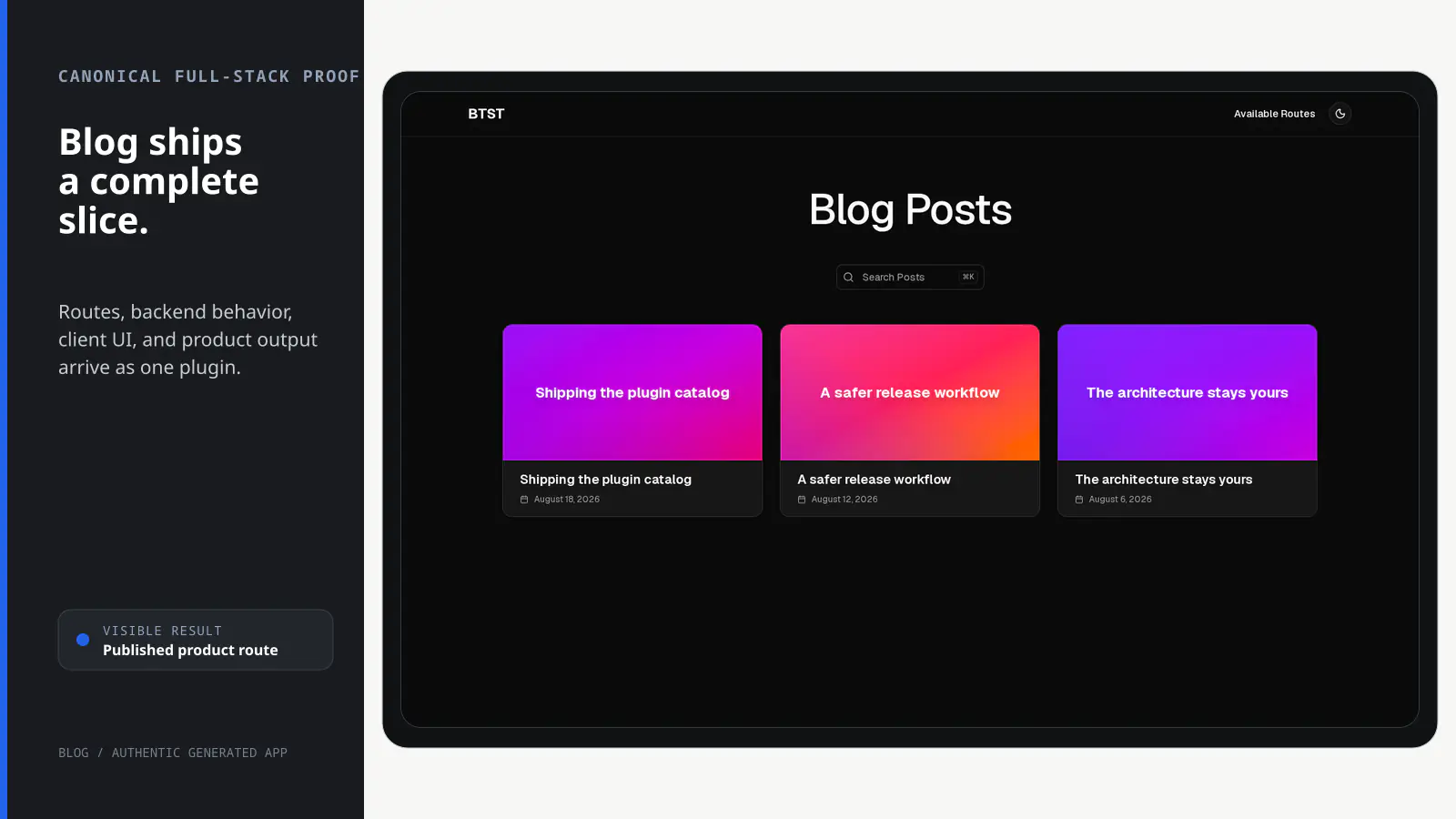
BTST supplies
- Post and tag data models with typed CRUD APIs and lifecycle hooks
- SSR-aware list, draft, editor, tag, and post routes
- Published-page metadata and sitemap entries
- Customizable Blog pages, hooks, and editor UI
You supply
- A BTST database adapter
- An image upload implementation when editor uploads are enabled
- An authorization policy when protected authoring operations are enabled
- The application shell, public origin, and deployment
You own and customize
Posts stay in your database, routes run in your application, and ejected Blog views become editable application code.
Compatibility and dependencies
Maintained: Next.js 15+ App Router, React Router v7, TanStack Start.
Requires: A BTST database adapter.
External services: None required.
From registration to result
A semantic workflow, not a setup shortcut
- 1Register
Add the Blog backend and client halves to the existing stack.
- 2Write
Create and edit drafts with the supplied authoring routes.
- 3Store
Persist posts and tags through your selected database adapter.
- 4Publish
Serve the SSR-aware post route with metadata and sitemap output.
Installation
Ensure you followed the general framework installation guide first.
Follow these steps to add the Blog plugin to your BTST setup.
1. Add Plugin to Backend API
Import and register the blog backend plugin in your stack.ts file:
import { createBackendStack } from "@btst/stack/api"
import { blogBackendPlugin } from "@btst/stack/plugins/blog/api"
// ... your adapter imports

const { handler, dbSchema } = createBackendStack({
  basePath: "/api/data",
  plugins: {
    blog: blogBackendPlugin()
  },
  adapter: (db) => createPrismaAdapter(prisma, db, {
    provider: "postgresql"
  })
})

export { handler, dbSchema }
The blogBackendPlugin() accepts optional post-authorization lifecycle hooks
for domain invariants, logging, and side effects.
2. Add Plugin to Client
Register the blog client plugin in your stack-client.tsx file:
import { createClientStack } from "@btst/stack/client"
import { blogClientPlugin } from "@btst/stack/plugins/blog/client"
import { QueryClient } from "@tanstack/react-query"

const getBaseURL = () =>
  typeof window !== "undefined"
    ? window.location.origin
    : process.env.BASE_URL || "http://localhost:3000"

export const getStackClient = (
  queryClient: QueryClient,
  options?: { headers?: HeadersInit },
) => {
  const baseURL = getBaseURL()
  return createClientStack({
    api: {
      baseURL,
      basePath: "/api/data",
      headers: options?.headers,
    },
    site: { baseURL, basePath: "/pages" },
    queryClient,
    plugins: {
      blog: blogClientPlugin({
        seo: {
          siteName: "My Blog",
          author: "Your Name",
          twitterHandle: "@yourhandle",
          locale: "en_US",
          defaultImage: `${baseURL}/og-image.png`,
        },
      })
    }
  })
}
Shared API, site, query-client, and per-request header values belong on
createClientStack(). blogClientPlugin() accepts only Blog-specific SEO,
loader hooks, and page component choices.
Migrating to v3: move apiBaseURL, apiBasePath, siteBaseURL,
siteBasePath, queryClient, and headers out of blogClientPlugin() and into
the top-level client stack fields shown above. Rename the old onLoadError
loader hook to onErrorLoad.
3. Import Plugin CSS
Add the blog plugin CSS to your global stylesheet:
@import "@btst/stack/plugins/blog/css";This includes all necessary styles for the blog components, markdown rendering, and editor.
4. Add the Context Provider
Pass the resolved client stack to StackProvider, add the framework router,
and keep only Blog-specific values in overrides:
Create the provider stack inside the browser layout without request headers. SSR page factories create a separate request stack with their request QueryClient and headers; never serialize that function-bearing server object through a Client Component prop.
"use client"

import { useMemo } from "react"
import { QueryClientProvider } from "@tanstack/react-query"
import { StackProvider } from "@btst/stack/context"
import { nextRouter } from "@btst/stack/next"
import { getStackClient, type StackClientOptions } from "@/lib/stack-client"
import { getOrCreateQueryClient } from "@/lib/query-client"

export default function Layout({ children, clientOrigins }: {
  children: React.ReactNode
  clientOrigins: StackClientOptions
}) {
  const queryClient = getOrCreateQueryClient()
  const clientStack = useMemo(
    () => getStackClient(queryClient, clientOrigins),
    [clientOrigins.apiOrigin, clientOrigins.siteOrigin, queryClient],
  )

  return (
    <QueryClientProvider client={queryClient}>
      <StackProvider
        stack={clientStack}
        router={nextRouter()}
        overrides={{
          blog: {
            uploadImage: async (file) => {
              // Implement your image upload logic
              // Return the URL of the uploaded image
              return "https://example.com/uploads/image.jpg"
            },
          }
        }}
      >
        {children}
      </StackProvider>
    </QueryClientProvider>
  )
}import { useMemo, useState } from "react"
import { Outlet } from "react-router"
import { QueryClientProvider } from "@tanstack/react-query"
import { StackProvider } from "@btst/stack/context"
import { reactRouter } from "@btst/stack/react-router"
import { getStackClient } from "~/lib/stack-client"
import { getOrCreateQueryClient } from "~/lib/query-client"
export default function Layout() {
const [queryClient] = useState(() => getOrCreateQueryClient())
const clientStack = useMemo(
() => getStackClient(queryClient),
[queryClient],
)
return (
<QueryClientProvider client={queryClient}>
<StackProvider
stack={clientStack}
router={reactRouter()}
overrides={{
blog: {
uploadImage: async (file) => {
// Implement your image upload logic
return "https://example.com/uploads/image.jpg"
},
}
}}
>
<Outlet />
</StackProvider>
</QueryClientProvider>
)
}import { useMemo } from "react"
import { QueryClientProvider } from "@tanstack/react-query"
import { StackProvider } from "@btst/stack/context"
import { tanstackRouter } from "@btst/stack/tanstack"
import { getStackClient } from "@/lib/stack-client"
import { Outlet } from "@tanstack/react-router"
function Layout() {
const { queryClient } = Route.useRouteContext()
const clientStack = useMemo(
() => getStackClient(queryClient),
[queryClient],
)
return (
<QueryClientProvider client={queryClient}>
<StackProvider
stack={clientStack}
router={tanstackRouter()}
overrides={{
blog: {
uploadImage: async (file) => {
// Implement your image upload logic
return "https://example.com/uploads/image.jpg"
},
}
}}
>
<Outlet />
</StackProvider>
</QueryClientProvider>
)
}Required overrides:
uploadImage: Function to upload images and return their URL
Optional overrides:
localization: Custom localization stringsshowAttribution: Whether to show BTST attribution
5. Generate Database Schema
After adding the plugin, generate your database schema using the CLI:
npx @btst/cli generate --orm prisma --config lib/stack.ts --output prisma/schema.prismaThis will create the necessary database tables for posts and tags. Run migrations as needed for your ORM.
For more details on the CLI and all available options, see the CLI documentation.
Congratulations, You're Done! 🎉
Your blog plugin is now fully configured and ready to use! Here's a quick reference of what's available:
API Endpoints
The blog plugin provides the following API endpoints (mounted at the resolved Blog API path):
- GET
/posts- List posts with optional filtering (published status, tag, search query) - POST
/posts- Create a new post - PUT
/posts/:id- Update an existing post - DELETE
/posts/:id- Delete a post - GET
/posts/next-previous- Get previous and next posts relative to a date - GET
/tags- List all tags
Page Routes
The blog plugin automatically creates the following pages (mounted under the top-level site path):
/blog- Blog homepage with published posts/blog/drafts- Draft posts page/blog/new- Create new post page/blog/:slug- Individual post page/blog/:slug/edit- Edit post page/blog/tag/:tagSlug- Posts filtered by tag
Page Component Overrides
You can replace any built-in page with your own React component using the optional pageComponents field in blogClientPlugin(config). The built-in component is used as the fallback whenever an override is not provided. Overrides for parameterized routes receive the route context ({ params }) as props.
blogClientPlugin({
  // ... other config
  pageComponents: {
    // Replace the published posts list page
    posts: MyCustomPostsPage,
    // Replace the single post page — receives the route context as props
    post: ({ params }) => <MyCustomPostPage slug={params.slug} />,
    // Replace the edit post page — receives the route context as props
    editPost: ({ params }) => <MyCustomEditPage slug={params.slug} />,
    // Replace the tag page — receives the route context as props
    tag: ({ params }) => <MyCustomTagPage tagSlug={params.tagSlug} />,
    // Replace the drafts list page
    drafts: MyCustomDraftsPage,
    // Replace the new post page
    newPost: MyCustomNewPostPage,
  },
})
Adding Authorization
The Blog plugin publishes a browser-safe, schema-backed catalog at
@btst/stack/plugins/blog/permissions. It covers published, draft, and
individual post reads; draft and published creation; content and publish-state
updates; deletion; and tag reads. Built-in Blog routes and controls pass these
exact descriptors to StackProvider.auth—they do not use resource/action
strings.
import { defineAuthorization } from "@btst/stack/authorization";
import { blogPermissions } from "@btst/stack/plugins/blog/permissions";
import { z } from "zod";

export const authorization = defineAuthorization({
  identity: z.object({
    id: z.string(),
    role: z.enum(["user", "admin"]),
  }),
  permissions: [blogPermissions] as const,
  rules: ({ blog }) => [
    blog.post.read.when(({ identity, facts }) => {
      if (facts.scope === "published") return true;
      if (facts.scope === "post" && (!facts.exists || facts.published)) return true;
      return identity?.role === "admin" ||
        (facts.scope === "post" && identity?.id === facts.authorId);
    }),
    blog.post.create.when(({ identity, facts }) =>
      identity !== null &&
      (facts.publish === "draft" || identity.role === "admin")
    ),
    blog.post.update.when(({ identity, facts }) =>
      identity !== null &&
      (identity.role === "admin" ||
        (identity.id === facts.authorId && facts.publish === "unchanged"))
    ),
    blog.post.delete.when(({ identity, facts }) =>
      identity !== null &&
      (identity.role === "admin" || identity.id === facts.authorId)
    ),
    blog.tag.read.allow(),
  ],
});
The explicit published-post and tag rules make public access intentional;
allow() is the unconditional tag rule. Once authorization is installed, a
missing Blog rule denies access. Browser facts only improve presentation: each
record-sensitive detail, update, and delete operation reloads authoritative
post, author, and publish state before evaluation. List facts come from the
validated query (and the matched post for a slug), create facts come from the
validated publish intent, and the public navigation/tag operations declare
their fixed facts explicitly.
Post-detail reads verify that any returned row still matches the authoritative
existence, identity, author, and publish facts used for authorization. When an
update includes published, the write atomically requires the publish state
observed during authorization to still match. A concurrent security-relevant
change returns HTTP 409 (POST_READ_STATE_CHANGED or POST_STATE_CHANGED)
instead of using stale facts; retry the operation against the current post.
Image upload is not a Blog backend route. uploadImage is an app-supplied
client override, so its upload endpoint must enforce the application's own
authorization policy.
See the authorization guide to bind this definition to client and server identity adapters.
API Reference
Backend (@btst/stack/plugins/blog/api)
blogBackendPlugin
Prop
Type
BlogBackendHooks
Customize backend behavior with optional lifecycle hooks. All Blog hooks run
after input validation, trusted fact derivation, identity resolution, and the
shared authorization rule. Use them for exceptional domain invariants,
logging, and side effects—not ordinary role or ownership checks. Context
identity, input, trusted facts, and result values are deeply readonly. The
context object itself is frozen; Request and Headers remain standard
platform objects.
Prop
Type
Blog lifecycle names use the action-first onBefore<Action><Entity>,
onAfter<Action><Entity>, and onError<Action><Entity> grammar.
| Removed name | Canonical name |
|---|---|
onBeforeNextPreviousPosts | onBeforeGetNextPreviousPosts |
onPostsRead | onAfterListPosts |
onPostCreated | onAfterCreatePost |
onPostUpdated | onAfterUpdatePost |
onPostDeleted | onAfterDeletePost |
onNextPreviousPostsRead | onAfterGetNextPreviousPosts |
onListPostsError | onErrorListPosts |
onNextPreviousPostsError | onErrorGetNextPreviousPosts |
onCreatePostError | onErrorCreatePost |
onUpdatePostError | onErrorUpdatePost |
onDeletePostError | onErrorDeletePost |
Example usage:
import { blogBackendPlugin, type BlogBackendHooks } from "@btst/stack/plugins/blog/api"

const blogHooks: BlogBackendHooks = {
  async onBeforeDeletePost(postId, context) {
    if (isProtectedPost(postId))
      throw new Error("Protected posts cannot be deleted")
    auditDeleteAttempt(context.identity?.id, context.facts)
  },
  async onAfterUpdatePost(post, context) {
    await auditPostChange({
      actorId: context.identity?.id,
      postId: post.id,
      publishTransition: context.facts.publish,
    })
  },
}

const { handler, dbSchema } = createBackendStack({
  plugins: {
    blog: blogBackendPlugin({ hooks: blogHooks })
  },
  // ...
})
Blog lifecycle contexts
Every Blog operation supplies validated input, server-derived facts, resolved
identity, and request directly to its lifecycle hooks. The result is available
after execution, and an error context is created only after authorization
succeeds. Identity, input, facts, and results are plain lifecycle data that is
deeply readonly and frozen before hooks can observe it. The context object is
also frozen, while its Request and Headers references retain their normal
platform behavior. Operation-specific interfaces preserve the exact facts and
result types.
Migrating from the earlier v3 RC: Blog hooks now run after authorization
and receive operation-specific readonly contexts. Result hooks receive
JSON-safe serialized posts (including string timestamps), not mutable database
Post values with Date instances. Create/update hook input timestamps are
also normalized to ISO strings by their operation schemas instead of being
passed as Date instances. Move ordinary role and ownership checks into the
shared authorization rule.
Prop
Type
Prop
Type
Prop
Type
Prop
Type
Prop
Type
Prop
Type
Client (@btst/stack/plugins/blog/client)
blogClientPlugin
Prop
Type
BlogClientConfig
The client plugin accepts optional Blog-specific SEO, loader hooks, and page components. Shared runtime configuration belongs on the client stack:
Prop
Type
Example usage:
createClientStack({
  api: { baseURL, basePath: "/api/data", headers: options?.headers },
  site: { baseURL, basePath: "/pages" },
  queryClient,
  plugins: {
    blog: blogClientPlugin({
      seo: {
        siteName: "My Awesome Blog",
        author: "John Doe",
        twitterHandle: "@johndoe",
        locale: "en_US",
        defaultImage: `${baseURL}/og-image.png`,
      },
    }),
  },
})
BlogClientHooks
Customize client-side behavior with lifecycle hooks. These hooks are called during data fetching (both SSR and CSR):
Prop
Type
Example usage:
blog: blogClientPlugin({
  hooks: {
    beforeLoadPosts: async (filter, context) => {
      performance.mark(`blog:list:${filter.published ? "published" : "drafts"}`)
    },
    afterLoadPost: async (post, slug, context) => {
      analytics.track("Blog post loaded", { slug, path: context.path })
    },
    onErrorLoad(error, context) {
      reportError(error, { path: context.path })
    },
  }
})
RouteContext
Prop
Type
LoaderContext
Prop
Type
BlogPluginOverrides
Configure Blog-specific components, slots, localization, and route lifecycle hooks. All lifecycle hooks are optional:
Prop
Type
Use classNames in StackProvider.overrides.blog to style built-in UI slots. Classes merge with the defaults; conflicting Tailwind utilities use your override. Omitting a slot preserves its default styling.
overrides={{
  blog: {
    classNames: { postTitle: "font-serif text-3xl", postCard: "shadow-lg" },
  },
}}
Example usage:
overrides={{
  blog: {
    uploadImage: async (file) => {
      // Implement your image upload logic
      return "https://example.com/uploads/image.jpg"
    },
    onRouteRender: (routeName, context) => {
      // Track page views
    },
  }
}}
Slot overrides:
| Override | Type | Description |
|---|---|---|
postBottomSlot | (post: SerializedPost) => ReactNode | Render additional content below each blog post — use to embed a CommentThread |
import { CommentThread } from "@btst/stack/plugins/comments/client/components"

overrides={{
  blog: {
    // ...
    postBottomSlot: (post) => (
      <CommentThread
        resourceId={post.slug}
        resourceType="blog-post"
      />
    ),
  }
}}
React Data Hooks and Types
You can import the hooks from "@btst/stack/plugins/blog/client/hooks" to use in your components.
UsePostsOptions
Prop
Type
UsePostsResult
Prop
Type
UsePostResult
Prop
Type
UsePostSearchOptions
Prop
Type
UsePostSearchResult
Prop
Type
UseNextPreviousPostsOptions
Prop
Type
UseNextPreviousPostsResult
Prop
Type
UseRecentPostsOptions
Prop
Type
UseRecentPostsResult
Prop
Type
PostCreateInput
Prop
Type
PostUpdateInput
Prop
Type
Server-side Data Access
The Blog plugin exposes standalone lower-level getters and mutation primitives for build-time and administrative work. These raw functions bypass the operation and lifecycle pipeline entirely. Keep them to SSG, migrations, test setup, and seed scripts; use the operation API below for request-time application behavior.
Authorized operations
When createBackendStack() receives a one-rule server adapter, use the request-scoped API
for user-facing Blog work. These calls run the same operations as the HTTP
routes, including input validation, trusted fact derivation, authorization, and
lifecycle hooks:
const blog = myStack.forRequest(request).operations.blog;

const published = await blog.listPosts({ published: true });
const post = await blog.createPost({
  title: "Operation-first Blog",
  content: "...",
  excerpt: "...",
  published: false,
  tags: [],
});
await blog.updatePost({
  id: post.id,
  data: { ...post, title: "Updated", tags: [] },
});
await blog.deletePost({ id: post.id });
Trusted server work can bypass user authorization explicitly while preserving validation, trusted facts, lifecycle hooks, and domain behavior:
await myStack.trusted.blog.updatePost({
  id: postId,
  data: update,
});
trusted skips identity resolution and user authorization only. It is the
appropriate surface for a trusted job that still needs normal Blog behavior.
Trusted and lower-level data access
Use myStack.trusted.blog for trusted jobs that should keep normal validation, fact derivation, domain behavior, and hooks. Use myStack.forRequest(request).operations.blog for user-driven server work. myStack.raw.blog contains only prefetchForRoute.
Standalone getters and mutations from @btst/stack/plugins/blog/api remain lower-level adapter primitives for plugin internals or migrations whose caller owns lifecycle composition.
Static Site Generation (SSG)
route.loader() makes HTTP requests to the resolved top-level API endpoint, which silently fails during next build because no dev server is running. Use prefetchForRoute() instead — it reads directly from the database and pre-populates the React Query cache before rendering.
prefetchForRoute() is a raw-data escape hatch. It does not resolve identity,
evaluate authorization rules, or run Blog lifecycle hooks. Static artifacts
are commonly public: use "drafts" or "editPost" only when your deployment
applies equivalent access controls to the generated output. Never publish
dehydrated protected data into a public page.
prefetchForRoute(routeKey, queryClient, params?)
| Route key | Params required | Data prefetched |
|---|---|---|
"posts" | — | Published posts list |
"drafts" | — | Draft posts list |
"post" | { slug: string } | Single post detail |
"tag" | { tagSlug: string } | Tag + tagged posts |
"newPost" | — | (nothing) |
"editPost" | { slug: string } | Post to edit |
Rendering prefetched pages
Data prefetching fills the query cache; it does not download page JavaScript. The existing router API remains supported and lazy loads each page's content:
{route.PageComponent && <route.PageComponent />}BTST memoizes provider context so unchanged BTST inputs do not trigger context
updates during lazy page hydration. Keep the resolved stack and overrides references
stable when their inputs have not changed; the generated layouts do this with
useMemo. Existing integrations should memoize override objects and their
callbacks with the dependencies they use. See provider configuration.
Actual identity, runtime, or override changes still take effect immediately. They can reveal a loading state while page code or data is unavailable, as can framework streaming or context updates from host providers above BTST. Provider memoization does not preload the page module. Secondary sections such as recent posts load independently.
For separate framework route files, these direct entries import the complete guarded page without the registry's inner lazy import:
| Import path | Component | Props |
|---|---|---|
@btst/stack/plugins/blog/client/pages/posts | PostListPage | published?: boolean (defaults to true) |
@btst/stack/plugins/blog/client/pages/post | PostPage | slug: string |
@btst/stack/plugins/blog/client/pages/tag | TagPage | tagSlug: string |
import { PostPage } from "@btst/stack/plugins/blog/client/pages/post"

<PostPage slug={slug} />
Both approaches use the same permission checks, error boundaries, and route hooks.
They require StackProvider, QueryClientProvider, and the corresponding hydrated
data. Import each direct entry in its own route file so the framework can load
that page and its shared dependencies. Direct imports render the built-in UI;
pageComponents replacements apply through the router only.
Next.js example
import { dehydrate, HydrationBoundary } from "@tanstack/react-query"
import { getOrCreateQueryClient } from "@/lib/query-client"
import { getStackClient } from "@/lib/stack-client"
import { myStack } from "@/lib/stack"
import { metaElementsToObject, normalizePath } from "@btst/stack/client"
import type { Metadata } from "next"

// Opt into SSG — Next.js generates this page at build time
export async function generateStaticParams() {
  return [{}]
}

// export const revalidate = 3600 // uncomment for ISR (1 hour)

export async function generateMetadata(): Promise<Metadata> {
  const queryClient = getOrCreateQueryClient()
  const stackClient = getStackClient(queryClient)
  const route = stackClient.router.getRoute(normalizePath(["blog"]))
  if (!route) return { title: "Blog" }
  await myStack.raw.blog.prefetchForRoute("posts", queryClient)
  return metaElementsToObject(route.meta?.() ?? []) satisfies Metadata
}

export default async function BlogListPage() {
  const queryClient = getOrCreateQueryClient()
  const route = getStackClient(queryClient).router.getRoute("/blog")
  // Reads directly from DB — works at build time, no HTTP server required
  await myStack.raw.blog.prefetchForRoute("posts", queryClient)
  return (
    <HydrationBoundary state={dehydrate(queryClient)}>
      {route?.PageComponent && <route.PageComponent />}
    </HydrationBoundary>
  )
}
For individual post pages, also generate the static params list:
export async function generateStaticParams() {
  const { items } = await myStack.trusted.blog.listPosts({ published: true, limit: 1000 })
  return items.map((p) => ({ slug: p.slug }))
}

export default async function BlogPostPage({ params }: { params: Promise<{ slug: string }> }) {
  const { slug } = await params
  const queryClient = getOrCreateQueryClient()
  const route = getStackClient(queryClient).router.getRoute(`/blog/${slug}`)
  await myStack.raw.blog.prefetchForRoute("post", queryClient, { slug })
  return (
    <HydrationBoundary state={dehydrate(queryClient)}>
      {route?.PageComponent && <route.PageComponent />}
    </HydrationBoundary>
  )
}
ISR cache invalidation
If you use Incremental Static Regeneration, the static page cache must be purged whenever content changes. Wire up revalidatePath (or revalidateTag) inside the backend lifecycle hooks so Next.js regenerates the page on the next request:
import { revalidatePath } from "next/cache"
import type { BlogBackendHooks } from "@btst/stack/plugins/blog"

const blogHooks: BlogBackendHooks = {
  onAfterCreatePost: async (post) => {
    revalidatePath("/blog")
    revalidatePath(`/blog/${post.slug}`)
  },
  onAfterUpdatePost: async (post) => {
    revalidatePath("/blog")
    revalidatePath(`/blog/${post.slug}`)
  },
  onAfterDeletePost: async (postId) => {
    revalidatePath("/blog")
  },
}
revalidatePath / revalidateTag are Next.js APIs — import them from "next/cache". They are no-ops outside of a Next.js runtime, so this pattern is safe to use in the lib/stack.ts shared file without breaking other frameworks.
Query key consistency
prefetchForRoute uses the same query key shapes as createBlogQueryKeys (the HTTP client). The shared constants live in @btst/stack/plugins/blog/api as BLOG_QUERY_KEYS and postsListDiscriminator, so the two paths can never drift silently.
Shadcn Registry
The Blog plugin UI layer is distributed as a shadcn registry block. Use the registry to eject and fully customize the page components while keeping all data-fetching and API logic from @btst/stack.
The registry installs only the view layer. Hooks and data-fetching continue to come from @btst/stack/plugins/blog/client/hooks.
npx shadcn@latest add https://github.com/better-stack-ai/better-stack/blob/main/packages/stack/registry/btst-blog.jsonpnpx shadcn@latest add https://github.com/better-stack-ai/better-stack/blob/main/packages/stack/registry/btst-blog.jsonbunx shadcn@latest add https://github.com/better-stack-ai/better-stack/blob/main/packages/stack/registry/btst-blog.jsonThis copies the page components into src/components/btst/blog/client/ in your project. All relative imports remain valid and you can edit the files freely — the plugin's data layer stays intact.
Using ejected components
After installing, wire your custom components into the plugin via the pageComponents option in your client plugin config:
import { blogClientPlugin } from "@btst/stack/plugins/blog/client"
// Import your ejected (and customized) page components
import { HomePageComponent } from "@/components/btst/blog/client/components/pages/home-page"
import { PostPageComponent } from "@/components/btst/blog/client/components/pages/post-page"

blogClientPlugin({
  pageComponents: {
    posts: HomePageComponent,       // replaces the published posts list page
    // Param routes receive the route context ({ params }) as props
    post: ({ params }) => <PostPageComponent slug={params.slug} />,
    // drafts, newPost, editPost, tag — omit to keep built-in defaults
  },
})
Any key you omit falls back to the built-in default, so you can override just the pages you want to change.