UI Builder Plugin
Visual drag-and-drop page builder with component registry, variables, and public page rendering
Best for
Teams that already use the BTST CMS plugin and want a constrained visual editor over application-approved components.
Let operators compose pages visually, store the layout through CMS, and render it on routes you own.
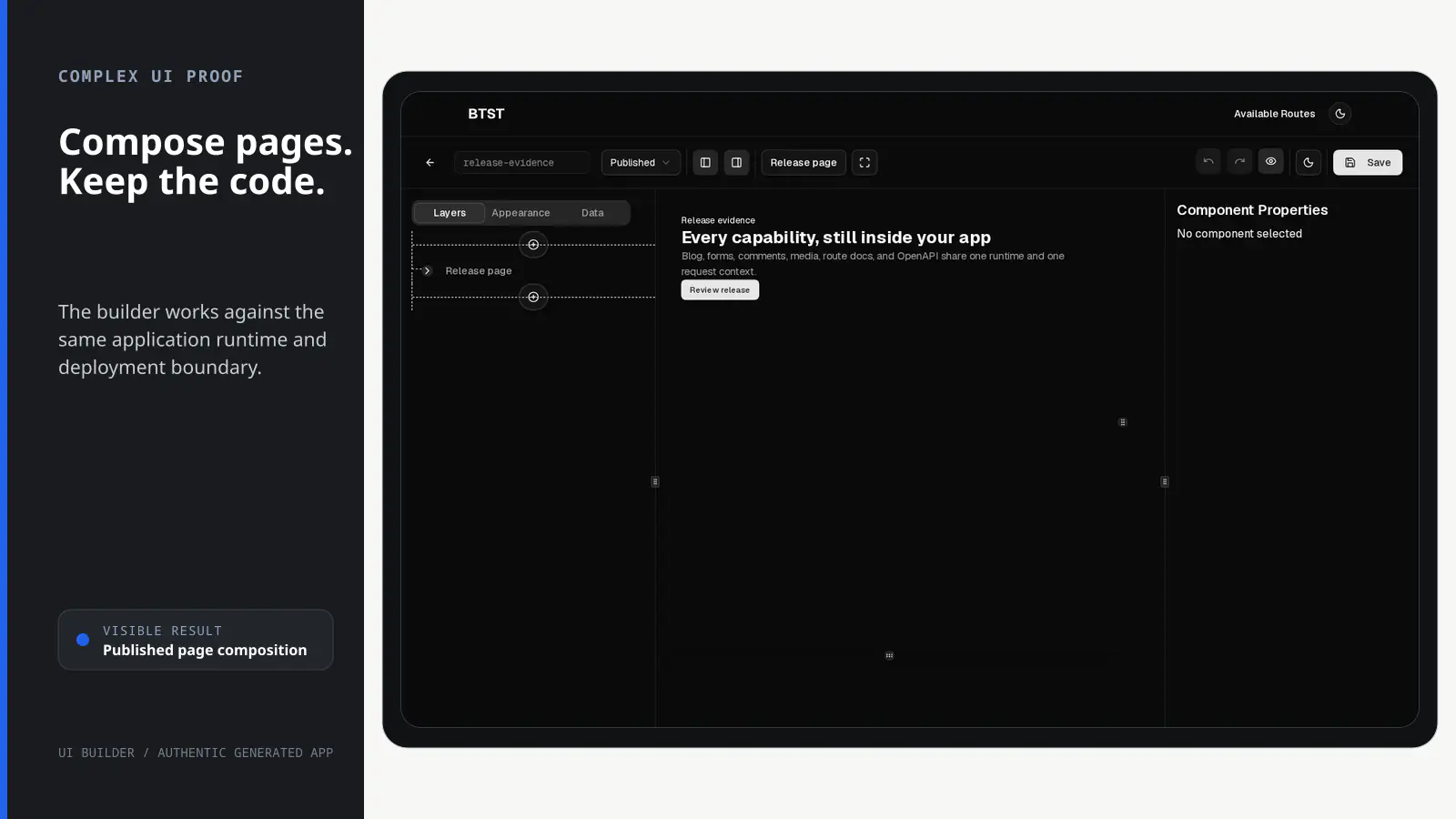
BTST supplies
- Visual page-list, creation, and editing routes
- A component registry, layer editor, variables, and reusable block support
- A PageRenderer for application-owned public routes
- A CMS content-type declaration for storing page layers and status
You supply
- The components and blocks editors may place on a page
- A public route that loads CMS page data and mounts PageRenderer
- CMS authorization rules for page records
- The application shell and deployment
You own and customize
The CMS-backed page record stays in your database. You choose the component registry and public route; editor views can be ejected while CMS data behavior remains packaged.
Compatibility and dependencies
Maintained: Next.js 15+ App Router, React Router v7, TanStack Start.
Requires: The CMS plugin, added automatically by the CLI.
External services: None required.
From registration to result
A semantic workflow, not a setup shortcut
- 1Add CMS
Use the required CMS plugin; the CLI adds it automatically when selected.
- 2Register components
Define the components and blocks an operator is allowed to place.
- 3Compose
Arrange layers, variables, and properties in the visual editor.
- 4Render
Load the CMS record and mount PageRenderer on an application-owned public route.
Installation
Ensure you followed the general framework installation guide first. The UI Builder requires the CMS plugin to be configured.
1. Add Content Type to CMS Backend
The UI Builder stores pages as CMS content items. Add the pre-configured content type to your CMS:
import { createBackendStack } from "@btst/stack/api"
import { createServerAuth } from "@btst/stack/authorization/server"
import { cmsBackendPlugin } from "@btst/stack/plugins/cms/api"
import {
  UI_BUILDER_CONTENT_TYPE,
  UI_BUILDER_TYPE_SLUG,
} from "@btst/stack/plugins/ui-builder"
import { authorization } from "./authorization"

const auth = createServerAuth({
  authorization,
  getIdentity: async ({ request }) => {
    const session = await getSession(request.headers)
    return session?.user ?? null
  },
})

const { handler, dbSchema } = createBackendStack({
  basePath: "/api/data",
  plugins: {
    cms: cmsBackendPlugin({
      contentTypes: [
        UI_BUILDER_CONTENT_TYPE,
        // ... other content types
      ],
    })
  },
  adapter: (db) => createMemoryAdapter(db)({}),
  auth,
})

export { handler, dbSchema }
UI Builder does not define or copy its own permission strings. Its page list,
editor, controls, and public renderer import the exact descriptors owned by the
CMS catalog. Add cmsPermissions to the shared authorization contract as shown
in the CMS authorization guide.
UI_BUILDER_TYPE_SLUG is only the content-model slug; permission IDs and fact
schemas still come from CMS.
2. Add Plugin to Client
Register the UI Builder client plugin:
import { createClientStack } from "@btst/stack/client"
import { cmsClientPlugin } from "@btst/stack/plugins/cms/client"
import { uiBuilderClientPlugin } from "@btst/stack/plugins/ui-builder/client"
import { QueryClient } from "@tanstack/react-query"

function getBaseURL(serverOrigin?: string) {
  if (typeof window !== "undefined") return window.location.origin
  return (
    serverOrigin ||
    process.env.BTST_SITE_URL ||
    process.env.BASE_URL ||
    "http://localhost:3000"
  )
}

export const getStackClient = (
  queryClient: QueryClient,
  options?: { headers?: Headers; origin?: string },
) => {
  const baseURL = getBaseURL(options?.origin)
  return createClientStack({
    api: {
      baseURL,
      basePath: "/api/data",
      ...(options?.headers ? { headers: options.headers } : {}),
    },
    site: { baseURL, basePath: "/pages" },
    queryClient,
    plugins: {
      // CMS plugin is required
      cms: cmsClientPlugin(),
      // Programmatic ID is camelCase; the package and route slug stay ui-builder.
      uiBuilder: uiBuilderClientPlugin()
    }
  })
}
UI Builder is a CMS HTTP consumer, so it inherits the CMS plugin's effective API
origin, path, browser headers, and credentials. Configure a CMS data replacement
once with endpoints.cms.api; endpoints.uiBuilder may customize only the UI
site location.
3. Configure the Provider
Pass the resolved stack to the provider. The component registry is a
uiBuilderClientPlugin() concern, so StackProvider needs no duplicate override:
import { nextRouter } from "@btst/stack/next"

const stack = getStackClient(queryClient, clientOrigins)

<StackProvider
  stack={stack}
  router={nextRouter()}
>
  {children}
</StackProvider>
4. Install Required Dependencies
The UI Builder uses the Tailwind Typography plugin for the Markdown component. Install it as a dependency:
npm install @tailwindcss/typography
# or
pnpm add @tailwindcss/typography
5. Import CSS
This step is critical for the UI Builder to work correctly.
The UI Builder uses a large number of Tailwind utility classes for dynamic component styling. Add the CSS import to ensure Tailwind v4 scans all required classes:
@import "@btst/stack/plugins/ui-builder/css";Without this CSS import, many styling options in the UI Builder will not work because Tailwind won't include the dynamic classes.
Admin Routes
The UI Builder plugin provides these admin routes:
| Route | Description |
|---|---|
/ui-builder | List all pages with create, edit, delete actions |
/ui-builder/new | Create a new page with the visual builder |
/ui-builder/:id/edit | Edit an existing page |
When StackProvider has an auth provider, the built-in routes and actions use
these permission checks:
| UI | Permission |
|---|---|
| Page list route | cms.record.read({ contentType: UI_BUILDER_TYPE_SLUG, scope: "collection" }) |
| New-page route and create buttons | cms.record.create({ contentType: UI_BUILDER_TYPE_SLUG }) |
| Edit route and action | cms.record.update({ contentType, recordId, authorId? }) |
| Delete action | cms.record.delete({ contentType, recordId, authorId? }) |
Without an auth provider, permission gates remain disabled for backward compatibility. These client checks control visibility and navigation only; the matching CMS operation independently derives trusted facts and enforces the same rule on the backend.
Admin routes are automatically set to noindex for SEO. Don't include them in your public sitemap.
Page Component Overrides
You can replace any built-in admin page with your own React component using the optional pageComponents field in uiBuilderClientPlugin(config). The built-in component is used as the fallback whenever an override is not provided. Overrides for parameterized routes receive the route context ({ params }) as props.
uiBuilderClientPlugin({
  // ... other config
  pageComponents: {
    // Replace the page list page
    pageList: MyCustomPageList,
    // Replace the new page builder page
    newPage: MyCustomNewPage,
    // Replace the edit page builder page — receives the route context as props
    editPage: ({ params }) => <MyCustomPageBuilder id={params.id} />,
  },
})
UI Builder is intentionally client-only over CMS. The cmsBackendPlugin
supplies its persistence and HTTP contract; there is no UI Builder backend
plugin to register.
Component Registry
The UI Builder uses a component registry to define available components. A default registry is provided with common components:
Default Components
Primitives:
div,span,p,h1-h6- HTML elementsa- Anchor linksimg- Imagesiframe- Embedded content
Layout Components:
Flexbox- Flexible box layoutGrid- CSS Grid layout
Content Components:
Markdown- Rich text with Markdown supportIcon- Lucide iconsCodePanel- Syntax-highlighted code blocks
shadcn/ui Components:
Button- Interactive buttonsBadge- Status badgesCard,CardHeader,CardTitle,CardContent,CardFooter- Card layoutsAccordion,AccordionItem,AccordionTrigger,AccordionContent- Collapsible sectionsSeparator- Visual separatorsCarousel,CarouselItem- Image/content carousels
Custom Component Registry
Extend or replace the default registry with your own components:
import {
  createComponentRegistry,
  defaultComponentRegistry,
  uiBuilderClientPlugin,
} from "@btst/stack/plugins/ui-builder/client"
import { z } from "zod"

// Extend the default registry
const customRegistry = createComponentRegistry({
  ...defaultComponentRegistry,

  // Add a custom component
  HeroSection: {
    component: HeroSection,
    schema: z.object({
      title: z.string().default("Welcome"),
      subtitle: z.string().optional(),
      backgroundImage: z.string().optional(),
      ctaText: z.string().default("Get Started"),
      ctaLink: z.string().default("#"),
    }),
    from: "@/components/hero-section",
  },

  // Add a pricing card
  PricingCard: {
    component: PricingCard,
    schema: z.object({
      plan: z.string(),
      price: z.string(),
      features: z.array(z.string()).default([]),
      highlighted: z.boolean().default(false),
    }),
    from: "@/components/pricing-card",
  },
})

// Register once; the editor and PageRenderer consume the same registry.
const uiBuilder = uiBuilderClientPlugin({ components: customRegistry })
Registry Entry Properties
Each component in the registry has these properties:
| Property | Type | Required | Description |
|---|---|---|---|
component | ComponentType | No | The React component (optional for primitives) |
schema | ZodSchema | Yes | Zod schema defining props |
from | string | No | Import path for code generation |
isFromDefaultExport | boolean | No | Whether component is default export |
defaultChildren | ComponentLayer[] | string | No | Default children when added |
defaultVariableBindings | DefaultVariableBinding[] | No | Auto-bind props to variables |
fieldOverrides | Record<string, FieldConfigFunction> | No | Custom form field renderers |
childOf | string[] | No | Restrict which parent types can contain this component |
Parent-Child Restrictions
Use the childOf property to restrict where a component can be placed:
const registry = createComponentRegistry({
  ...defaultComponentRegistry,

  // TabsTrigger can only be added inside TabsList
  TabsTrigger: {
    component: TabsTrigger,
    schema: z.object({
      value: z.string(),
      children: z.any(),
    }),
    childOf: ["TabsList"], // Can only be a child of TabsList
  },

  // CarouselItem can only be inside Carousel
  CarouselItem: {
    component: CarouselItem,
    schema: z.object({
      children: z.any(),
    }),
    childOf: ["Carousel"],
  },
})
Minimal Registry
Create a minimal registry with only the components you need:
const minimalRegistry = createComponentRegistry({
  div: primitiveComponentDefinitions.div,
  span: primitiveComponentDefinitions.span,
  Flexbox: complexComponentDefinitions.Flexbox,
  Button: complexComponentDefinitions.Button,
})
Block Registry
Blocks are pre-built component compositions that users can insert as templates. They appear in the "Blocks" tab of the add component popover.
Defining Blocks
Create a block registry with reusable templates:
import type { BlockRegistry, ComponentLayer } from "@btst/stack/components/ui-builder"

const myBlocks: BlockRegistry = {
  "hero-01": {
    name: "hero-01",
    category: "hero",
    description: "Hero section with title, subtitle, and CTA button",
    thumbnail: "/blocks/hero-01.png", // Optional preview image
    template: {
      id: "hero-root",
      type: "Flexbox",
      name: "Hero Section",
      props: {
        className: "min-h-[60vh] items-center justify-center bg-gradient-to-b from-primary/10 to-background",
        direction: "column",
        gap: 4,
      },
      children: [
        {
          id: "hero-title",
          type: "h1",
          name: "Title",
          props: { className: "text-5xl font-bold text-center" },
          children: "Welcome to Our Platform",
        },
        {
          id: "hero-subtitle",
          type: "p",
          name: "Subtitle",
          props: { className: "text-xl text-muted-foreground text-center max-w-2xl" },
          children: "Build amazing experiences with our powerful tools",
        },
        {
          id: "hero-cta",
          type: "Button",
          name: "CTA Button",
          props: { variant: "default", size: "lg" },
          children: [
            { id: "cta-text", type: "span", name: "Button Text", props: {}, children: "Get Started" }
          ],
        },
      ],
    },
  },
  "pricing-01": {
    name: "pricing-01",
    category: "pricing",
    description: "Simple pricing card",
    template: {
      id: "pricing-root",
      type: "Card",
      name: "Pricing Card",
      props: { className: "w-full max-w-sm" },
      children: [
        {
          id: "pricing-header",
          type: "CardHeader",
          name: "Header",
          props: {},
          children: [
            { id: "plan-name", type: "CardTitle", name: "Plan", props: {}, children: [
              { id: "plan-text", type: "span", name: "Plan Text", props: {}, children: "Pro" }
            ]},
            { id: "plan-desc", type: "CardDescription", name: "Description", props: {}, children: [
              { id: "desc-text", type: "span", name: "Description Text", props: {}, children: "For professionals" }
            ]},
          ],
        },
        {
          id: "pricing-content",
          type: "CardContent",
          name: "Content",
          props: {},
          children: [
            { id: "price", type: "p", name: "Price", props: { className: "text-4xl font-bold" }, children: "$29/mo" },
          ],
        },
      ],
    },
  },
}
Using Blocks in UIBuilder
Pass the block registry to the UIBuilder component:
import { UIBuilder, defaultComponentRegistry } from "@btst/stack/components/ui-builder"

function PageEditor() {
  return (
    <UIBuilder
      componentRegistry={defaultComponentRegistry}
      blocks={myBlocks}
      initialLayers={[]}
      onChange={(layers) => console.log("Layers changed:", layers)}
    />
  )
}
BlockDefinition Properties
| Property | Type | Required | Description |
|---|---|---|---|
name | string | Yes | Unique block identifier, e.g., "hero-01" |
category | string | Yes | Category for grouping, e.g., "hero", "pricing", "footer" |
description | string | No | Human-readable description shown in UI |
template | ComponentLayer | Yes | The component tree to insert |
thumbnail | string | No | Preview image URL |
requiredComponents | string[] | No | List of required component types |
Blocks appear in a separate "Blocks" tab in the add component popover, organized by category. Users can insert entire pre-built sections with a single click.
Public Page Rendering
The UI Builder provides multiple ways to render pages on public routes, depending on your needs:
Public rendering is an explicit CMS authorization decision. When one-rule auth
is configured, allow cms.record.read when contentType is
UI_BUILDER_TYPE_SLUG and scope is "record", and allow
cms.contentType.read for UI_BUILDER_TYPE_SLUG. The latter protects the
schema embedded in the record response. A record condition on the content type
alone also makes the admin page list public. PageRenderer checks both CMS
descriptors used by the backend read; its browser checks are only presentation
gates. The raw SSG getters/prefetch helpers are explicit lower-level APIs and
must only be called from server/build code.
| Component | Use Case | Server Component Compatible |
|---|---|---|
PageRenderer | Client-side rendering with built-in data fetching | No (requires "use client") |
LayerRenderer | Render pre-fetched layer data on the client | No (requires "use client") |
ServerLayerRenderer | SSR/RSC rendering of layer data | Yes |
PageRenderer (Client Component)
The PageRenderer component fetches and renders UI Builder pages by slug:
"use client"

import { PageRenderer } from "@btst/stack/plugins/ui-builder/client"

export default function PreviewPage({ params }: { params: { slug: string } }) {
  return (
    <PageRenderer
      slug={params.slug}
      className="min-h-screen"
    />
  )
}
PageRenderer Props
| Prop | Type | Description |
|---|---|---|
slug | string | Page slug to fetch and render |
componentRegistry | ComponentRegistry | Standalone override; otherwise uses the plugin factory registry, then the built-in default |
variableValues | Record<string, any> | Runtime variable values |
LoadingComponent | ComponentType | Custom loading state |
ErrorComponent | ComponentType<{ error }> | Custom error state |
NotFoundComponent | ComponentType | Custom 404 state |
className | string | Additional CSS classes |
LayerRenderer (Client Component)
The LayerRenderer component renders pre-fetched ComponentLayer data. Use this when you've already fetched the page data and want more control:
"use client"

import { LayerRenderer, defaultComponentRegistry } from "@btst/stack/components/ui-builder"

export default function DynamicPage({ page, variables }: {
  page: ComponentLayer,
  variables: Variable[]
}) {
  return (
    <LayerRenderer
      page={page}
      componentRegistry={defaultComponentRegistry}
      variables={variables}
      variableValues={{
        userName: "John Doe",
      }}
      className="min-h-screen"
    />
  )
}
LayerRenderer Props
| Prop | Type | Required | Description |
|---|---|---|---|
page | ComponentLayer | Yes | The root ComponentLayer to render |
componentRegistry | ComponentRegistry | Yes | Component definitions registry |
variables | Variable[] | No | Variable definitions from the page |
variableValues | Record<string, PropValue> | No | Runtime values for variables |
editorConfig | EditorConfig | No | Editor configuration (for admin use) |
className | string | No | Additional CSS classes |
ServerLayerRenderer (Server Component)
The ServerLayerRenderer is an SSR-friendly renderer that works in React Server Components (RSC), Static Site Generation (SSG), and Server-Side Rendering (SSR):
// No "use client" needed - this is a Server Component
import { ServerLayerRenderer, defaultComponentRegistry } from "@btst/stack/components/ui-builder"

export default async function StaticPage({ params }: { params: { slug: string } }) {
  // Fetch page data on the server
  const page = await fetchPageFromDatabase(params.slug)

  if (!page) {
    return <NotFound />
  }

  const layers = JSON.parse(page.parsedData.layers)
  const variables = JSON.parse(page.parsedData.variables)

  return (
    <ServerLayerRenderer
      page={layers[0]}
      componentRegistry={defaultComponentRegistry}
      variables={variables}
      variableValues={{
        // Pass any runtime values
        currentYear: new Date().getFullYear(),
      }}
      className="min-h-screen"
    />
  )
}
ServerLayerRenderer Props
| Prop | Type | Required | Description |
|---|---|---|---|
page | ComponentLayer | Yes | The root ComponentLayer to render |
componentRegistry | ComponentRegistry | Yes | Component definitions registry |
variables | Variable[] | No | Variable definitions from the page |
variableValues | Record<string, PropValue> | No | Runtime values for variables |
className | string | No | Additional CSS classes |
When to use ServerLayerRenderer:
- Static pages that can be rendered at build time (SSG)
- SEO-critical pages that need server-side rendering
- Pages where you want to avoid client-side JavaScript for the initial render
- When using React Server Components in Next.js App Router
When to use LayerRenderer:
- Pages with interactive editor features
- When you need client-side state management
- Pages that require client-side data fetching
With Variable Values
Pass runtime values to page variables:
import { PageRenderer } from "@btst/stack/plugins/ui-builder/client"

export default function UserPage({ params }: { params: { slug: string } }) {
  const user = useCurrentUser()

  return (
    <PageRenderer
      slug={params.slug}
      variableValues={{
        userName: user?.name ?? "Guest",
        userEmail: user?.email,
        isLoggedIn: !!user,
      }}
    />
  )
}
SSR with Suspense
For server-side rendering with streaming:
import { Suspense } from "react"
import { SuspensePageRenderer } from "@btst/stack/plugins/ui-builder/client"

export default function Page({ params }: { params: { slug: string } }) {
  return (
    <Suspense fallback={<PageSkeleton />}>
      <SuspensePageRenderer slug={params.slug} />
    </Suspense>
  )
}

## Client Hooks

Access UI Builder data with React Query hooks:

### Available Hooks

| Hook | Description | Returns |
|------|-------------|---------|
| `useUIBuilderPages()` | List all pages | `{ pages, total, isLoading, loadMore, hasMore }` |
| `useSuspenseUIBuilderPages()` | Suspense variant | `{ pages, total, loadMore, hasMore }` |
| `useUIBuilderPage(id)` | Get page by ID | `{ page, isLoading, error }` |
| `useUIBuilderPageBySlug(slug)` | Get page by slug | `{ page, layers, variables, isLoading }` |
| `useCreateUIBuilderPage()` | Create mutation | React Query mutation |
| `useUpdateUIBuilderPage()` | Update mutation | React Query mutation |
| `useDeleteUIBuilderPage()` | Delete mutation | React Query mutation |
| `useUIBuilderPageForm(config)` | Create/edit lifecycle | `{ submit, isSubmitting, fieldErrors, error }` |

`useUIBuilderPageForm` uses the shared resource-form lifecycle: it selects the
create or update mutation, awaits cache invalidation, sends messages through the
`notify` provider, redirects through the router adapter, and exposes structured
server validation errors through `fieldErrors`.

For SSR loaders or custom cache prefetching, import
`createUIBuilderQueryKeys` from
`@btst/stack/plugins/ui-builder/query-keys`. Its keys intentionally match the
underlying CMS content-item keys.

### Usage Examples

```tsx
import {
  useUIBuilderPageBySlug,
  useCreateUIBuilderPage,
  useUIBuilderPages
} from "@btst/stack/plugins/ui-builder/client"

// Public: Fetch page by slug
function DynamicPage({ slug }: { slug: string }) {
  const { page, layers, variables, isLoading } = useUIBuilderPageBySlug(slug)

  if (isLoading || !page) return <Loading />

  return (
    <LayerRenderer
      page={layers[0]}
      componentRegistry={defaultComponentRegistry}
      variables={variables}
    />
  )
}

// Admin: Create new page
function CreatePage() {
  const createPage = useCreateUIBuilderPage()

  const handleCreate = async () => {
    await createPage.mutateAsync({
      slug: "my-new-page",
      layers: [
        {
          id: "root",
          type: "div",
          name: "Page Root",
          props: { className: "min-h-screen p-8" },
          children: [],
        }
      ],
      status: "draft",
    })
  }

  return <Button onClick={handleCreate}>Create Page</Button>
}
Shared Authorization and Loader Lifecycle
UI Builder uses these CMS descriptors everywhere:
| UI Builder surface | CMS descriptor |
|---|---|
| Page list route | cms.record.read({ contentType: UI_BUILDER_TYPE_SLUG, scope: "collection" }) |
| New page route and create controls | cms.record.create({ contentType: UI_BUILDER_TYPE_SLUG }) |
| Existing editor, save, and edit controls | cms.record.update({ contentType, recordId, authorId? }) |
| Delete controls | cms.record.delete({ contentType, recordId, authorId? }) |
Public PageRenderer | cms.record.read({ contentType, scope: "record", recordId, authorId? }) and cms.contentType.read({ contentType }) |
Configure those rules once in the shared authorization module:
import { z } from "zod"
import { defineAuthorization } from "@btst/stack/authorization"
import { cmsPermissions } from "@btst/stack/plugins/cms/permissions"
import { UI_BUILDER_TYPE_SLUG } from "@btst/stack/plugins/ui-builder"

export const authorization = defineAuthorization({
  identity: z.object({ id: z.string(), role: z.enum(["editor", "admin"]) }),
  permissions: [cmsPermissions] as const,
  rules: ({ cms }) => [
    // Public page reads are explicit. Other CMS types can use a stricter rule.
    cms.contentType.read.when(
      ({ identity, facts }) =>
        facts.contentType === UI_BUILDER_TYPE_SLUG || identity?.role === "admin",
    ),
    cms.record.read.when(
      ({ identity, facts }) =>
        (facts.contentType === UI_BUILDER_TYPE_SLUG && facts.scope === "record") ||
        identity?.role === "admin",
    ),
    cms.record.create.when(({ identity }) => identity?.role === "admin"),
    cms.record.update.when(
      ({ identity, facts }) =>
        identity?.role === "admin" || identity?.id === facts.authorId,
    ),
    cms.record.delete.when(({ identity }) => identity?.role === "admin"),
  ],
})
The content-type rule permits the schema embedded in the record response. The
scope condition makes a by-slug page render, including its not-found
result, without making the admin page list public. For a by-slug read, the CMS
backend derives scope: "record", then derives the matching record ID and
ownership when a record exists.
The browser uses page ownership as a presentation hint. The CMS backend reloads the matching content type and record before evaluating the same rule, so a stale or spoofed browser value cannot authorize a mutation.
Client loader hooks remain available for framework-specific data preparation,
analytics, and error reporting. They do not replace the backend
operation boundary and should not duplicate the authorization rule.
onErrorLoad is reporting-only: callback errors are contained and the loader
never rejects, so it cannot perform throwing framework redirects:
uiBuilder: uiBuilderClientPlugin({
  hooks: {
    beforeLoadPageList: async (context) => {
      await warmPageListDependencies(context.headers)
    },
    beforeLoadPageBuilder: async (pageId, context) => {
      await recordPageBuilderLoad(pageId, context.headers)
    },
    afterLoadPageList: async (context) => {
      console.log("Page list loaded")
    },
    afterLoadPageBuilder: async (pageId, context) => {
      console.log("Page builder loaded for:", pageId)
    },
    onErrorLoad: (error, context) => {
      reportPageLoaderError(error, context)
    },
  },
})
Bind the shared rules with createClientAuth for client navigation and controls.
Hydrating initialIdentity keeps the first server and browser render in
agreement without an authorization cache.
<StackProvider
  stack={stack}
  router={nextRouter()}
  auth={createClientAuth({
    authorization,
    getIdentity: () => getBrowserSession()?.user ?? null,
  })}
  initialIdentity={initialIdentity}
  // optional plugin-specific overrides
>
  {children}
</StackProvider>
UIBuilderClientHooks
| Hook | Parameters | Return | Description |
|---|---|---|---|
beforeLoadPageList | context | void | Promise<void> | Pre-load framework lifecycle for the page list |
afterLoadPageList | context | void | Post-load lifecycle |
beforeLoadPageBuilder | pageId, context | void | Promise<void> | Pre-load framework lifecycle for the builder |
afterLoadPageBuilder | pageId, context | void | Post-load lifecycle |
onErrorLoad | error, context | void | Report loader failures; callback errors are contained |
LoaderContext
All hooks receive a context object:
| Property | Type | Description |
|---|---|---|
path | string | Current route path |
params | Record<string, string> | Route parameters |
isSSR | boolean | Whether running on server |
apiBaseURL | string | API base URL |
apiBasePath | string | API path prefix |
headers | Headers | undefined | Request headers |
Page Data Structure
UI Builder pages are stored with this structure:
interface UIBuilderPage {
  id: string
  slug: string              // URL-friendly identifier
  parsedData: {
    layers: string          // JSON-serialized ComponentLayer[]
    variables: string       // JSON-serialized Variable[]
    status: "published" | "draft" | "archived"
  }
  createdAt: string
  updatedAt: string
}

interface ComponentLayer {
  id: string
  type: string              // Component type from registry
  name?: string             // Display name in layers panel
  props: Record<string, any>
  children: ComponentLayer[] | string | VariableReference
}

interface Variable {
  id: string
  name: string
  type: "string" | "number" | "boolean" | "function"
  defaultValue: any
}

// Variable reference for dynamic content
interface VariableReference {
  __variableRef: string     // Variable ID
}
Variable References
You can bind component children to variables for dynamic content:
const layer: ComponentLayer = {
  id: "greeting",
  type: "h1",
  name: "Greeting",
  props: { className: "text-2xl font-bold" },
  // Children bound to a variable
  children: { __variableRef: "userName" }
}

const variables: Variable[] = [
  { id: "userName", name: "User Name", type: "string", defaultValue: "Guest" }
]
When rendering, pass runtime values to override defaults:
<PageRenderer
  slug="welcome"
  variableValues={{ userName: "John Doe" }}
/>
API Reference
Backend (@btst/stack/plugins/ui-builder)
UI_BUILDER_CONTENT_TYPE
Pre-configured content type for UI Builder pages. Add to your CMS config:
import { UI_BUILDER_CONTENT_TYPE } from "@btst/stack/plugins/ui-builder"

cms: cmsBackendPlugin({
  contentTypes: [UI_BUILDER_CONTENT_TYPE]
})
Client (@btst/stack/plugins/ui-builder/client)
uiBuilderClientPlugin
Creates the client plugin with routes and SSR loaders.
UIBuilderClientConfig
Prop
Type
Pass custom component definitions through the components factory field. An
explicit PageRenderer componentRegistry prop is a standalone-renderer
override and takes precedence; otherwise the registered factory value, then the
built-in registry, is used.
UIBuilderPluginOverrides
| Property | Type | Required | Description |
|---|---|---|---|
functionRegistry | FunctionRegistry | No | Functions available to UI Builder event bindings |
localization | UIBuilderLocalizationOverrides | No | Nested overrides for built-in page, editor, renderer, and notification copy |
showAttribution | boolean | No | Show BTST attribution |
onRouteRender | (route, context) => void | No | Route analytics hook |
onRouteError | (route, error, context) => void | No | Route error hook |
Router services belong to StackProvider. API/site/query runtime belongs to
createClientStack(). Loader hooks belong to uiBuilderClientPlugin().
defaultComponentRegistry
The default component registry with primitives and shadcn/ui components.
createComponentRegistry
Helper function to create a type-safe component registry:
const registry = createComponentRegistry({
  ...defaultComponentRegistry,
  CustomComponent: { component: CustomComponent, schema: customSchema },
})
UIBuilder
The main visual editor component. Import from @btst/stack/components/ui-builder:
import { UIBuilder } from "@btst/stack/components/ui-builder"

<UIBuilder
  componentRegistry={myRegistry}
  blocks={myBlocks}
  functionRegistry={myFunctionRegistry}
  initialLayers={initialLayers}
  initialVariables={initialVariables}
  onChange={(layers) => saveLayers(layers)}
  onVariablesChange={(variables) => saveVariables(variables)}
  allowPagesCreation={true}
  allowPagesDeletion={true}
  allowVariableEditing={true}
  persistLayerStore={false}
  showExport={true}
  navLeftChildren={<Logo />}
  navRightChildren={<SaveButton />}
/>
UIBuilder Props
| Prop | Type | Required | Default | Description |
|---|---|---|---|---|
componentRegistry | ComponentRegistry | Yes | - | Registry of available components |
blocks | BlockRegistry | No | - | Pre-built block templates for the Blocks tab |
functionRegistry | FunctionRegistry | No | - | Bindable event handlers (onClick, onSubmit, etc.) |
initialLayers | ComponentLayer[] | No | - | Initial layer tree to load |
initialVariables | Variable[] | No | - | Initial variables to load |
onChange | (layers: ComponentLayer[]) => void | No | - | Callback when layers change |
onVariablesChange | (variables: Variable[]) => void | No | - | Callback when variables change |
persistLayerStore | boolean | No | true | Persist layers to localStorage |
allowVariableEditing | boolean | No | true | Show variables panel |
allowPagesCreation | boolean | No | true | Allow creating new pages |
allowPagesDeletion | boolean | No | true | Allow deleting pages |
showExport | boolean | No | true | Show export button in navbar |
navLeftChildren | ReactNode | No | - | Content for left side of navbar |
navRightChildren | ReactNode | No | - | Content for right side of navbar |
panelConfig | PanelConfig | No | - | Custom panel configuration |
PageRenderer
Component to render UI Builder pages on public routes (client component):
<PageRenderer
  slug="homepage"
  componentRegistry={customRegistry}
  variableValues={{ userName: "John" }}
/>
LayerRenderer
Component to render pre-fetched ComponentLayer data (client component):
import { LayerRenderer } from "@btst/stack/components/ui-builder"

<LayerRenderer
  page={rootLayer}
  componentRegistry={customRegistry}
  variables={variables}
  variableValues={{ userName: "John" }}
/>
ServerLayerRenderer
SSR-friendly renderer for React Server Components:
import { ServerLayerRenderer } from "@btst/stack/components/ui-builder"

// In a Server Component (no "use client" needed)
<ServerLayerRenderer
  page={rootLayer}
  componentRegistry={customRegistry}
  variables={variables}
  variableValues={{ currentYear: 2024 }}
/>
Types (@btst/stack/components/ui-builder)
BlockDefinition
Pre-built component compositions for templates:
interface BlockDefinition {
  name: string           // Unique block name, e.g., "login-01"
  category: string       // Block category, e.g., "login", "sidebar"
  description?: string   // Human-readable description
  template: ComponentLayer  // ComponentLayer tree to insert
  thumbnail?: string     // Optional preview image URL
  requiredComponents?: string[]  // Required shadcn components
}
BlockRegistry
A record of block name to block definition:
type BlockRegistry = Record<string, BlockDefinition>FunctionDefinition
Defines a callable function that can be bound to component event handlers via the function registry:
interface FunctionDefinition {
  name: string                // Human-readable name
  schema: ZodTuple | ZodObject | ZodSchema  // Parameter schema
  fn: (...args: any[]) => any // The actual function
  description?: string        // Description shown in UI
  typeSignature?: string      // TS type signature for code generation
}
FunctionRegistry
A record of function ID to function definition:
type FunctionRegistry = Record<string, FunctionDefinition>Variables with type: "function" reference a key in the FunctionRegistry. At runtime, the function is resolved and bound to the component prop (e.g. onClick, onSubmit).
import { z } from "zod"

const functionRegistry: FunctionRegistry = {
  handleSubmit: {
    name: "Handle Submit",
    description: "Process form submission",
    schema: z.tuple([z.custom<React.FormEvent<HTMLFormElement>>()]),
    fn: (e) => { e.preventDefault(); console.log("submitted") },
    typeSignature: "(e: React.FormEvent<HTMLFormElement>) => void",
  },
}

<UIBuilder
  componentRegistry={myRegistry}
  functionRegistry={functionRegistry}
  // ...
/>
ComponentLayer
The structure representing a component in the UI Builder tree:
interface ComponentLayer {
  id: string
  type: string                          // Component type from registry
  name?: string                         // Display name in layers panel
  props: Record<string, PropValue>
  children: ComponentLayer[] | string | VariableReference
}
Variable
Variable definition for dynamic content:
interface Variable {
  id: string
  name: string
  type: "string" | "number" | "boolean" | "function"
  defaultValue: any
}
VariableReference
Reference to a variable for dynamic binding:
interface VariableReference {
  __variableRef: string  // Variable ID
}
Shadcn Registry
The UI Builder plugin UI layer is distributed as a shadcn registry block. Use the registry to eject and fully customize the page components while keeping all data-fetching and API logic from @btst/stack.
The registry installs only the view layer. Hooks and data-fetching continue to come from @btst/stack/plugins/ui-builder/client/hooks.
The visual editor itself is installed from the upstream UI Builder shadcn
registry. BTST's registry references that external item and does not embed or
fork components/ui/ui-builder or lib/ui-builder, so the editor source can be
synced from upstream independently of the BTST adapter pages.
npx shadcn@latest add https://github.com/better-stack-ai/better-stack/blob/main/packages/stack/registry/btst-ui-builder.jsonpnpx shadcn@latest add https://github.com/better-stack-ai/better-stack/blob/main/packages/stack/registry/btst-ui-builder.jsonbunx shadcn@latest add https://github.com/better-stack-ai/better-stack/blob/main/packages/stack/registry/btst-ui-builder.jsonThis copies the page components into src/components/btst/ui-builder/client/ in your project. All relative imports remain valid and you can edit the files freely — the plugin's data layer stays intact.
Using ejected components
After installing, wire your custom components into the plugin via the pageComponents option in your client plugin config:
import { uiBuilderClientPlugin } from "@btst/stack/plugins/ui-builder/client"
// Import your ejected (and customized) page components
import { PageListPage } from "@/components/btst/ui-builder/client/components/pages/page-list-page"
import { PageBuilderPage } from "@/components/btst/ui-builder/client/components/pages/page-builder-page"

uiBuilderClientPlugin({
  pageComponents: {
    pageList: PageListPage, // replaces the page list page
    // Param routes receive the route context ({ params }) as props
    editPage: ({ params }) => <PageBuilderPage id={params.id} />,
    // newPage — omit to keep built-in default
  },
})
Any key you omit falls back to the built-in default, so you can override just the pages you want to change.