School Plugin
CMS-backed courses, lessons, enrollment, progress, quizzes, and certificates
Best for
Teams adding an online school to an existing React application.
Teach courses with structured lessons, quizzes, and saved student progress.
BTST supplies
- A CMS-backed course catalog, lesson player, and instructor dashboard
- Enrollment, progress, scored quizzes, and certificate verification
- Student course portal and lifecycle hooks for payments and certificates
You supply
- A database adapter, CMS registration, and application identity and authorization rules
- Hosted lesson videos and resources
- Payment verification for paid enrollment and optional certificate generation
You own and customize
Courses stay in CMS; enrollments, progress, and quiz attempts stay in your database. Your application supplies identity, payments, and certificate generation.
Compatibility and dependencies
Maintained: Next.js 15+ App Router, React Router v7, TanStack Start.
Requires: The CMS plugin with SCHOOL_COURSE_CONTENT_TYPE; A BTST database adapter.
External services: Optional adopter-owned payment, video, and certificate services.
From registration to result
A semantic workflow, not a setup shortcut
- 1Build a course
Write course details and arrange sections with text, video, and quiz lessons.
- 2Enroll and learn
Students enroll, resume lessons, and complete scored quizzes.
- 3Review progress
Instructors track enrollments and completion; students verify certificates.
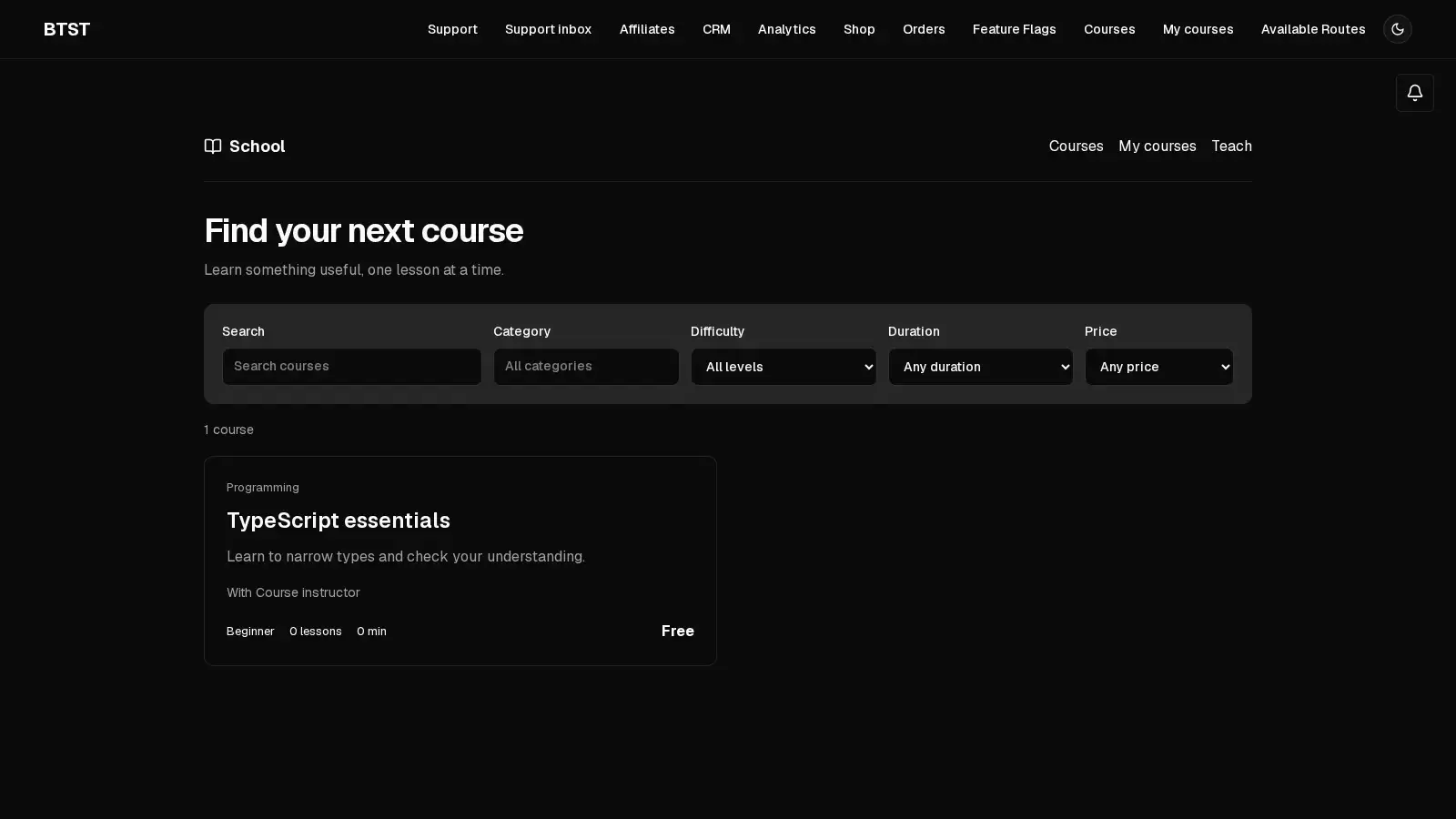
School adds a course catalog, student portal, lesson player, and instructor dashboard. Courses are CMS content items; School stores sections, lessons, enrollments, progress, reviews, and quiz attempts in its own models. Videos and resource files remain on your chosen hosting service.
Setup
The Codegen 6.2 beta adds CMS automatically when you select School. The versions below are prepared in this branch and have not been published; use locally packed packages until release.
npx @btst/codegen@6.2.0 init --plugins schoolFor manual setup, use @btst/plugin-school@2.1.1, @btst/plugin-cms@1.2.0,
and @btst/stack@6.2.0 together. School requires Core >=6.2.0 <6.3.0 and
CMS ^1.2.0. Register the course content type and both backend plugins:
import { createBackendStack } from "@btst/stack/api"
import { cmsBackendPlugin } from "@btst/plugin-cms/api"
import {
  schoolBackendPlugin,
  SCHOOL_COURSE_CONTENT_TYPE,
} from "@btst/plugin-school/api"

export const myStack = createBackendStack({
  basePath: "/api/data",
  adapter,
  auth: serverAuth,
  plugins: {
    cms: cmsBackendPlugin({ contentTypes: [SCHOOL_COURSE_CONTENT_TYPE] }),
    school: schoolBackendPlugin({
      quizPassMark: 70,
      certificatesEnabled: true,
      hooks: {
        onCourseComplete: async (enrollment, course) => {
          const certificateId = crypto.randomUUID()
          // Generate your certificate document or send a completion email here.
          return { certificateId }
        },
      },
    }),
  },
})
Use an adapter with serializable transactions for consistent progress and quiz
attempt limits across application instances. In-process learning writes are
serialized per adapter; that does not replace database isolation. Your
application owns schema generation, migrations, identity, and authorization.
Register schoolPermissions from
@btst/plugin-school/permissions in your shared authorization contract.
Permit public catalog and certificate reads, restrict course management to the
owning instructor or your administrators, and allow students to access only
their own enrollments. School resolves request identity on the server and checks
enrollment before returning protected lesson content.
A minimal policy for an application whose session has an id and role
looks like this. Register both permission namespaces because the backend
includes both School and CMS:
import { defineAuthorization } from "@btst/stack/authorization"
import { schoolPermissions } from "@btst/plugin-school/permissions"
import { cmsPermissions } from "@btst/plugin-cms/permissions"
import { z } from "zod"

export const authorization = defineAuthorization({
  identity: z.object({ id: z.string(), role: z.enum(["user", "admin"]) }),
  permissions: [schoolPermissions, cmsPermissions] as const,
  rules: ({ school, cms }) => [
    cms.contentType.read.when(({ identity }) => identity?.role === "admin"),
    cms.record.read.when(({ identity }) => identity?.role === "admin"),
    cms.record.create.when(({ identity }) => identity?.role === "admin"),
    cms.record.update.when(({ identity }) => identity?.role === "admin"),
    cms.record.delete.when(({ identity }) => identity?.role === "admin"),
    school.course.read.when(({ identity, facts }) =>
      facts.scope === "catalog" ||
      (facts.scope === "course" && facts.status === "published") ||
      (identity !== null && (facts.scope === "instructor" ||
        identity.role === "admin" || identity.id === facts.instructorId))),
    school.course.create.when(({ identity }) => identity !== null),
    school.course.manage.when(({ identity, facts }) =>
      identity !== null && (identity.role === "admin" || identity.id === facts.instructorId)),
    school.enrollment.read.when(({ identity, facts }) =>
      identity !== null && (facts.scope === "own"
        ? facts.userId === undefined || identity.id === facts.userId
        : identity.role === "admin" || identity.id === facts.instructorId)),
    school.enrollment.enroll.when(({ identity }) => identity !== null),
    school.lesson.read.when(({ identity, facts }) =>
      facts.status === "published" && (facts.isFreePreview || identity !== null)),
    school.lesson.complete.when(({ identity }) => identity !== null),
    school.quiz.submit.when(({ identity }) => identity !== null),
    school.certificate.read.allow(),
  ],
})
Collection operations filter to the server-resolved identity after
authorization. Lesson operations additionally enforce active enrollment on the
server. Tighten course.create to an instructor role if only some users teach.
import { createServerAuth } from "@btst/stack/authorization/server"
import { authorization } from "./authorization"
import { getSession } from "./your-session-service"

export const serverAuth = createServerAuth({
  authorization,
  getIdentityFromHeaders: async ({ headers }) => {
    const session = await getSession(headers)
    return session ? { id: session.user.id, role: session.user.role } : null
  },
})
getSession must validate your application's session. Use the same shared
contract in your client auth adapter, as described in the
authorization guide. The CLI registers the plugin and content type;
protected operations require this application-owned session integration.
Without server auth, protected School operations fail closed; public published
catalog and preview reads remain available.
import { createClientStack } from "@btst/stack/client"
import { schoolClientPlugin } from "@btst/plugin-school/client"

export function getStackClient(queryClient, origin: string) {
  return createClientStack({
    api: { baseURL: origin, basePath: "/api/data" },
    site: { baseURL: origin, basePath: "/pages" },
    queryClient,
    plugins: { school: schoolClientPlugin() },
  })
}@import "@btst/plugin-school/css";Mount the resolved client stack with StackProvider, your framework router,
and your client auth adapter. Pass the request identity as identityPartition
to schoolClientPlugin when building a protected SSR stack so its cache keys
match the browser identity. Shared API, site, and QueryClient configuration
belongs on createClientStack.
Courses and curriculum
Create a course in the instructor dashboard, add sections and lessons, then
publish it. Draft and archived courses are excluded from the public catalog.
Courses support categories, tags, difficulty, estimated duration, featured
placement, and prices in integer minor currency units, such as USD cents.
formatSchoolPrice from @btst/plugin-school/query-keys formats these
amounts in en-US using the currency's fraction digits, including JPY and KWD.
The catalog filters by category, difficulty, maximum duration, and free or paid pricing. Detail pages show the instructor, curriculum, and student reviews.
A lesson is text, video, or quiz. Text supports Markdown. Video lessons
accept an HTTP or HTTPS video URL; School does not host or transcode media.
Each lesson can include downloadable resource links. Enable free preview to
make a lesson readable without enrollment. Playback follows section order,
then lesson order within each section. Unassigned lessons play last.
Instructors can drag lessons or use keyboard-accessible movement controls to
reorder lessons within their section. Change a lesson's section in the lesson
editor to move it between chapters.
Lesson discussions
SchoolPluginOverrides.lessonBottomSlot accepts (lesson: Lesson) => ReactNode.
It renders below text, video, and quiz lesson content, resources, and progress
controls. School does not depend on Comments; omit the override to use the
lesson player on its own.
import { CommentThread } from "@btst/plugin-comments/client/components"

<StackProvider
  stack={clientStack}
  router={router}
  overrides={{
    school: {
      lessonBottomSlot: (lesson) => (
        <CommentThread resourceId={lesson.id} resourceType="school-lesson" />
      ),
    },
  }}
>
  {children}
</StackProvider>
Selecting both plugins with btst init --plugins school,comments adds the slot
and comments.resourceLinks automatically. The generated integration includes
the stable course and lesson IDs in the resource ID
(<courseId>/lessons/<lessonId>, with each ID URI-encoded). Course renames keep
the same discussion. The public getCourse operation and
GET /school/catalog/:slug accept either a published course's current slug or
its stable ID. Generated return links use /learn/~<courseId>/lessons/<lessonId>;
the ~ prefix selects an ID explicitly, so another course's slug cannot shadow
the link. Saved comments reopen the lesson after a rename. Draft,
archived, and missing courses still return 404. Keep that ID convention when
customizing an existing generated integration; changing it starts a separate
thread unless you migrate existing comment resource IDs. The
manual example above uses lesson IDs instead, so its return links require your
application to resolve lesson IDs to course slugs.
Return navigation uses the existing School page routes, which require course
and lesson IDs that fit a single decoded URL segment (no /). The URI-encoded
resource IDs keep stored discussion identity unambiguous; they do not remove
that routing restriction. Applications using IDs with slashes need custom
return-link routing.
Optional Media integration
These overrides require the prepared School 2.1.0 release and the Core/CMS versions listed above.
School remains usable without Media. Its optional imageInputField override
(value, onChange(url)) replaces the course cover URL control; imagePicker
(onSelect(url)) adds an existing-image selector beside the URL fallback.
The lesson editor uses imagePicker, or imageInputField when no picker is
provided, to insert an image into the existing Markdown content. uploadFile
enables uploading a lesson image and returning its stored, percent-encoded URL.
Saving waits for that upload and displays its failure without replacing the
lesson text. The CLI wires these controls when school and media are selected.
Enrollment and progress
Students enroll in a free course with one action. onBeforeEnroll can reject
an enrollment by returning false; onAfterEnroll runs after it is saved.
Student operations use the authenticated request identity, regardless of any
user ID submitted by a client.
Paid courses use the shared PaymentAdapter from @btst/stack/payments.
Enrollment first persists pending_payment; its response adds checkout with a
hosted redirectUrl or provider clientSecret. The built-in UI redirects to
hosted checkout. For client secrets, supply a provider form through
overrides.school.renderPayment(checkout) on StackProvider. The form must
complete payment through the provider SDK; browser success never grants access.
Students can resume payment and check its status from the course page.
import { stripeAdapter } from "@btst/stack/payments"

schoolBackendPlugin({
  paymentAdapter: stripeAdapter(stripeSecret, webhookSecret, {
    successUrl: "https://example.com/pages/learn/typescript",
    cancelUrl: "https://example.com/pages/learn/typescript",
  }),
  hooks: {
    onBeforeEnroll: async (userId, course) => true,
    onAfterEnroll: async (enrollment, course) => {
      await sendEnrollmentEmail(enrollment.userId, course.title)
    },
  },
})
Configure the provider to send signed events to POST /school/webhook beneath
your API base path. Forward the original request body unchanged. The operation
verifies the signature, provider, original amount/currency and payment reference
before granting lesson, progress, quiz or review access. Free previews remain
public. onAfterEnroll runs after verified payment, and is retried on webhook
re-delivery when it fails, including if the student has since completed the course.
Make it idempotent by enrollment ID: database commit
and external email delivery cannot be atomic. Payment failure or a full refund
cancels access. Repeated final events are idempotent; late success cannot revive
a cancelled enrollment. A transient checkout initialization failure keeps a
pending enrollment and retrying enrollment uses the same provider orderId.
Run your schema migration before upgrading persistent databases: schoolEnrollment
adds a nullable private payment text column for the amount/currency snapshot,
provider state and checkout credentials. Ordinary enrollment reads redact this
field. Transactions must be enabled for paid enrollments. Existing synchronous
School adapters must migrate to the shared createPayment({ amount, currency, orderId, metadata }) and signed handleWebhook(request) contract; returning a
paymentRef from initialization no longer confirms enrollment. Existing free
and already enrolled records remain accessible.
The player saves the current lesson and video position, and students mark text
or video lessons complete. Passing a quiz completes its lesson. My courses
shows each enrollment's progress, the next lesson, and completed certificates.
Completing every lesson changes the enrollment from enrolled to completed.
Students can cancel an active enrollment from My courses. A cancelled
enrollment does not grant protected lesson access; completed enrollments cannot
be cancelled.
Cancelled enrollments cannot be restarted in v1.
Completed enrollments keep their completion date, 100% progress, and earned certificate when the instructor changes the curriculum. Students can read new lessons without losing completion. For enrollments still in progress, the next learning update recalculates progress against the current lessons.
Quizzes
Quiz lessons contain multiple-choice questions. Correct answers are zero-based option indexes and remain server-side in student lesson responses:
const quiz = {
  passMark: 80,
  maxAttempts: 3,
  questions: [
    {
      id: "semantic-button",
      question: "Which element should perform an action?",
      options: ["A button", "A styled div", "A paragraph"],
      correctAnswer: 0,
    },
  ],
}
passMark overrides the backend's quizPassMark default of 70.
maxAttempts limits retakes; omit it for unlimited attempts. The server scores
answers and stores the submitted answers, percentage, pass result, and attempt
time. The player displays attempt history. Clients cannot supply a score or
mark an unpassed quiz complete through the progress API. onQuizSubmit receives
the persisted scored attempt and lesson.
Certificates
With certificates enabled, onCourseComplete returns a unique certificate ID
that is stored on the enrollment. The hook can generate a PDF or notify the
student through application-owned services. The built-in page verifies the
certificate ID against the completed enrollment and course; it does not render
a certificate PDF. Without a completion hook, completion is still recorded but
no certificate is generated. Make your completion hook idempotent using the
enrollment ID, since it can be retried after a hook failure.
If the hook fails, lesson completion and quiz attempts remain saved. My courses
shows Retry certificate for a completed enrollment awaiting a configured
certificate provider. This calls POST /school/courses/:id/certificate to retry
issuance for the signed-in student without consuming a quiz attempt. The same
operation is available as forRequest(request).operations.school.retryCertificate({ id }).
It works for completed archived courses and rejects incomplete enrollments.
No retry is offered when certificates are disabled or no completion hook is configured.
certificatesEnabled: false disables generation
and public verification.
Routes
Paths below are relative to your configured site base path:
| Route key | Path | Purpose |
|---|---|---|
catalog | /learn | Published courses and filters |
course | /learn/:slug | Course detail and enrollment |
lesson | /learn/:slug/lessons/:lessonId | Text, video, or quiz lesson |
quiz | /learn/:slug/lessons/:lessonId/quiz | Quiz and attempt history |
certificate | /learn/certificates/:certificateId | Public verification |
myCourses | /learn/me | Own enrollments and progress |
instructorDashboard | /learn/instructor | Course management and analytics |
courseEditor | /learn/instructor/courses/:id | Course and curriculum editor |
lessonEditor | /learn/instructor/courses/:id/lessons/:lessonId | Lesson editor |
The instructor dashboard shows students, enrollment activity, and completion
rates. Page components can be replaced through pageComponents on
schoolClientPlugin; data hooks remain available from
@btst/plugin-school/client/hooks.
Static generation
Use the narrow raw.school.prefetchForRoute helper at build time. Request
operations belong on myStack.forRequest(request).operations.school; trusted
jobs use myStack.trusted.school.
| Route key | Static generation | Cache content |
|---|---|---|
catalog | Supported | Published courses, optional catalog filters |
course | Supported | Public course detail and curriculum summaries |
| All other routes | Dynamic | Enrollment, progress, assessment, and management |
import { HydrationBoundary, dehydrate } from "@tanstack/react-query"
import { CourseListPageComponent } from "@btst/plugin-school/client/components"
import { myStack } from "@/lib/stack"
import { getOrCreateQueryClient } from "@/lib/query-client"

export const revalidate = 60

export default async function CoursesPage() {
  const queryClient = getOrCreateQueryClient()
  await myStack.raw.school.prefetchForRoute("catalog", queryClient)
  return (
    <HydrationBoundary state={dehydrate(queryClient)}>
      <CourseListPageComponent />
    </HydrationBoundary>
  )
}
For a course detail page, prefetch with
await myStack.raw.school.prefetchForRoute("course", queryClient, { slug }).
Keep static routes under a header-free layout; request identity must not enter
public static caches. The shared query-key definitions and serializers keep
build-time cache entries compatible with HTTP responses.
Configuration reference
Prop
Type
Prop
Type
Prop
Type
School v1 does not include live classes, built-in discussion forums, assignment grading, video hosting, subscriptions, offline playback, or SCORM/xAPI support.
AI page tools
The lesson editor registers draftSchoolLesson through the optional core page-context provider. With AI Chat page tools enabled, it merges supplied title, Markdown content, or validated quiz questions into the current draft. Saving remains explicit. Source plugin version 2.1 and AI Chat version 1.1 or later provide this integration. The source plugin works without AI Chat installed.
Completion observers
School 2.0 adds hooks.onAfterCourseComplete(enrollment, course) after the first
committed transition to completed, including when certificatesEnabled is
false. Repeated lesson progress and quiz completion calls do not notify again.
This observer is independent of onCourseComplete, which still generates a
certificate and retains its existing retry behavior. Observer failures do not
roll back completion and are not automatically retried.
For optional Analytics events, pass createAnalyticsServerHooks(...).school
from @btst/plugin-analytics/api, or compose its callbacks with existing hooks.
See Analytics lifecycle bridges for
consent, anonymous sessions and delivery limits. School requires no Analytics
dependency.
Affiliate payment attribution
School 2.1 adds optional hooks.capturePaymentAttribution({ request }) at initial
paid enrollment. Its private payment snapshot survives checkout recovery and
webhook retries. Verified onAfterEnroll callbacks receive an optional third
context argument containing payment: { amount, currency, attribution }; free
enrollments omit that context. Amount and currency are the original checkout
values, independently of later course edits. Existing two-argument callbacks
remain valid. See Affiliate's conversion bridge
for optional commission recording, including retries after course completion.
Page-scoped presentation components
Configure pageOverrides under this plugin’s StackProvider overrides. Page keys
use the client plugin’s route vocabulary. Unknown page keys, slot names, and
incompatible component props are rejected by TypeScript.
catalog.CourseCard and myCourses.CourseCard receive a typed course and optional enrollment. course.Curriculum and lesson.Curriculum receive SchoolCurriculumProps: the course outline, optional active lesson ID, and current enrollment. Custom curricula should preserve enrollment-sensitive links and progress. Instructor editors, quizzes, certificates, payment rendering, and lessonBottomSlot retain their existing behavior.
<StackProvider
  stack={clientStack}
  overrides={{
    school: {
      pageOverrides: {
        catalog: {
          CourseCard: ({ course, enrollment }) => <article><h2>{course.title}</h2><p>{enrollment ? `${enrollment.progressPct}% complete` : course.description}</p></article>,
        },
      },
    },
  }}
>
  {children}
</StackProvider>
This changes catalog cards while myCourses retains its built-in cards.
These slots have no equivalent shared component override, so an omitted or empty
page entry falls back directly to the built-in component. Built-in pages supply
scope explicitly; reusable components rendered without a page scope retain their
existing default behavior. Whole-page pageComponents, styling, localization,
content slots, loading/error boundaries, and data loading are unchanged.