OpenAPI Plugin
Auto-generated API documentation with interactive Scalar UI
Best for
Backend teams that need machine-readable API documentation without adding a matching BTST client plugin.
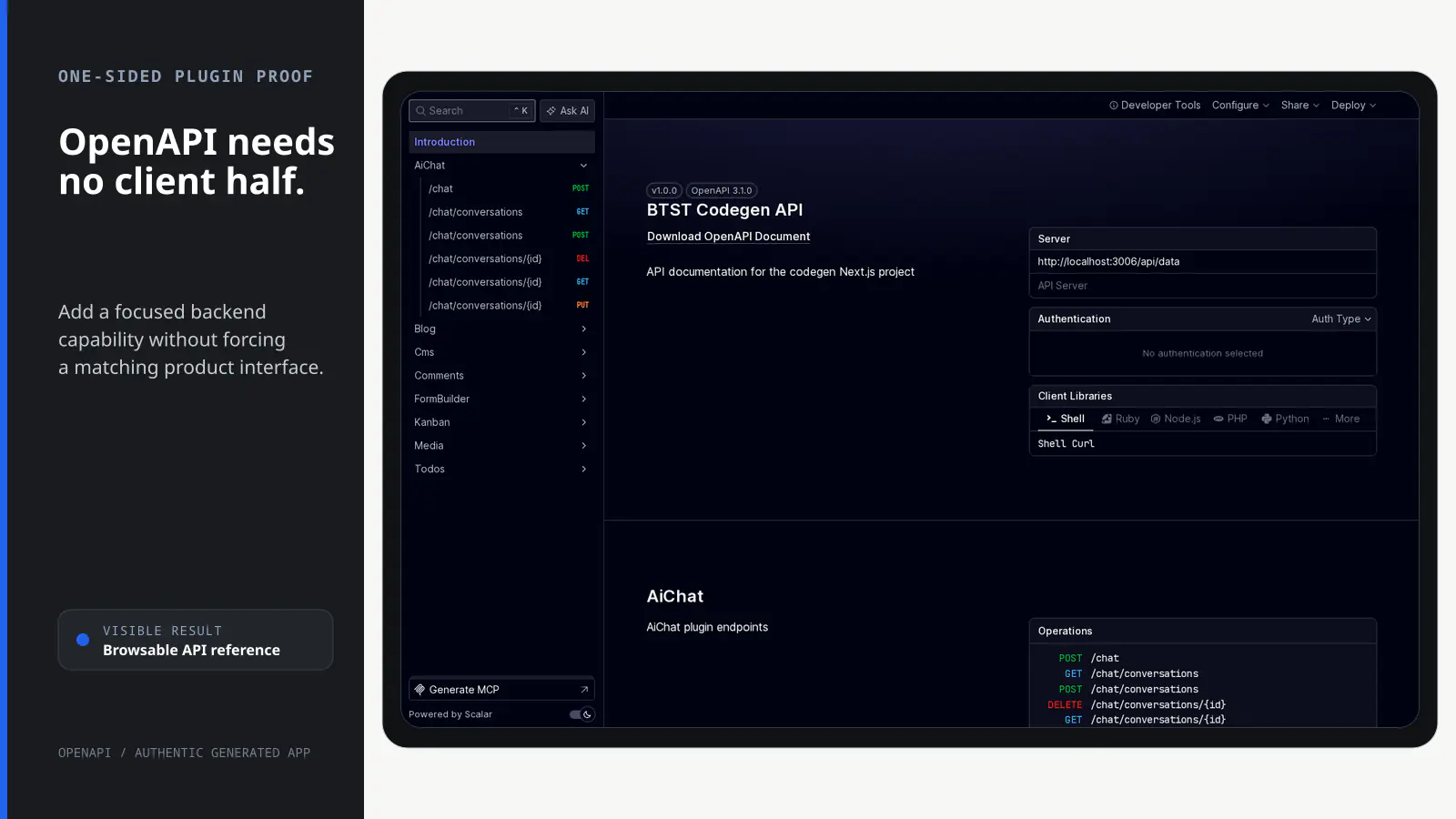
Expose an OpenAPI 3.1 contract for registered BTST routes and, when useful, an interactive API reference.
BTST supplies
- Deterministic OpenAPI 3.1 generation from registered route metadata and Zod inputs
- A JSON schema endpoint at the configured API base path plus the fixed /open-api/schema suffix
- An optional Scalar HTML reference endpoint with theme and CSP nonce options
- Public or permission-ID access metadata for documented operations
You supply
- A registered BTST backend stack whose routes can be inspected
- A configured API base path; the schema suffix remains /open-api/schema
- Optional overrides for the API title, version, and reference path; defaults are BTST API, 1.0.0, and /reference
- A framework-level access policy if the documentation must be private
You own and customize
The schema stays at your backend base path plus the fixed /open-api/schema suffix. The optional reference defaults to /reference, title and version have defaults, and your deployment and access boundary remain yours.
Compatibility and dependencies
Maintained: Next.js 15+ App Router, React Router v7, TanStack Start.
Requires: A registered BTST backend stack to inspect.
External services: The optional Scalar reference loads @scalar/api-reference from jsDelivr.
From registration to result
A semantic workflow, not a setup shortcut
- 1Register
Add the backend-only plugin to the existing BTST backend stack.
- 2Inspect
Read registered endpoint metadata and Zod request schemas.
- 3Generate 3.1
Serve a deterministic OpenAPI 3.1 document as JSON.
- 4Optionally render
Keep JSON only or expose the Scalar reference page.
Installation
Ensure you followed the general framework installation guide first.
Add Plugin to Backend API
Import and register the OpenAPI backend plugin in your stack.ts file:
import { createBackendStack } from "@btst/stack/api"
import { blogBackendPlugin } from "@btst/stack/plugins/blog/api"
import { openApiBackendPlugin } from "@btst/stack/plugins/open-api/api"
// ... your adapter imports

const { handler, dbSchema } = createBackendStack({
  basePath: "/api/data",
  plugins: {
    blog: blogBackendPlugin(),
    // Add OpenAPI plugin - it will document all other plugins
    openApi: openApiBackendPlugin({
      title: "My API",
      description: "API documentation for my application",
      theme: "kepler",
    }),
  },
  adapter: (db) => createMemoryAdapter(db)({})
})

export { handler, dbSchema }
The OpenAPI plugin is backend-only. There is no client plugin required.
Endpoints
Once configured, the plugin exposes two endpoints:
| Endpoint | Description |
|---|---|
GET /api/data/open-api/schema | Returns the OpenAPI 3.1 JSON schema |
GET /api/data/reference | Interactive Scalar API reference UI |
Replace /api/data with your configured basePath.
Both documentation handlers are deliberately declared as public infrastructure. They expose metadata and the reference UI, not an application business operation, so they do not resolve identity or run a permission rule. Application input validation, authorization, and domain controls on every documented endpoint are unchanged. If the documentation itself must be private, restrict these two paths with framework middleware or do not install the plugin in that deployment.
Configuration Options
openApiBackendPlugin({
  // Custom title for the API documentation
  title: "My API",

  // Description shown in the API reference
  description: "API documentation for my application",

  // API version string
  version: "1.0.0",

  // Scalar theme (see themes section below)
  theme: "kepler",

  // Custom path for the reference page (default: "/reference")
  path: "/docs",

  // Disable the HTML reference page (only serve JSON schema)
  disableDefaultReference: false,

  // CSP nonce for inline scripts (for strict Content Security Policy)
  nonce: "your-nonce-value",
})
Available Themes
The plugin supports all Scalar themes:
| Theme | Description |
|---|---|
default | Clean, minimal design |
alternate | Alternative styling |
moon | Dark mode optimized |
purple | Purple accent colors |
solarized | Solarized color scheme |
bluePlanet | Blue-focused theme |
saturn | Saturn-inspired colors |
kepler | Modern space theme |
mars | Red/orange accent theme |
deepSpace | Deep dark theme |
laserwave | Synthwave-inspired |
none | No styling (bring your own) |
How It Works
The OpenAPI plugin introspects all registered plugins at startup:
- Context Injection - BTST passes a context object containing all plugins to each plugin's
routes()function - Endpoint Traversal - The OpenAPI plugin iterates over all other plugins and their endpoints
- Schema Extraction - Zod schemas from
query,body, andparamsare converted to OpenAPI schema objects - Path Transformation - Express-style paths (
:param) are converted to OpenAPI format ({param}) - Tag Generation - Each plugin becomes a tag in the OpenAPI spec for easy navigation
Generated Schema Structure
The plugin generates a complete OpenAPI 3.1 schema including:
{
  "openapi": "3.1.0",
  "info": {
    "title": "My API",
    "description": "API documentation",
    "version": "1.0.0"
  },
  "servers": [
    { "url": "/api/data", "description": "API Server" }
  ],
  "tags": [
    { "name": "Blog", "description": "Blog plugin endpoints" },
    { "name": "Cms", "description": "Cms plugin endpoints" }
  ],
  "paths": {
    "/posts": {
      "get": {
        "tags": ["Blog"],
        "operationId": "blog_listPosts",
        "x-btst-access": "permission",
        "x-btst-permission": "blog:post.read",
        "parameters": [...],
        "responses": {...}
      }
    }
  },
  "components": {
    "securitySchemes": {
      "bearerAuth": { "type": "http", "scheme": "bearer" },
      "cookieAuth": { "type": "apiKey", "in": "cookie", "name": "session" }
    }
  }
}
x-btst-access is either "permission" or "public". Protected operations
also include x-btst-permission with their stable descriptor ID. The generator
does not serialize authorization rules, identity resolvers, permission fact
values/schemas, provider tokens, secrets, internal-only operations, or raw
server APIs. Output ordering is deterministic, independent of plugin
registration order.
Using the JSON Schema
You can fetch the raw OpenAPI schema for use with other tools:
# Fetch the OpenAPI schema
curl http://localhost:3000/api/data/open-api/schema

# Save to a file
curl http://localhost:3000/api/data/open-api/schema > openapi.json
The schema can be used with:
- Code generators (OpenAPI Generator, openapi-typescript)
- API testing tools (Postman, Insomnia)
- Documentation platforms (Redoc, Swagger UI)
- Mock servers (Prism, Mock Service Worker)
Programmatic Access
You can also use the schema generator directly:
import { generateOpenAPISchema } from "@btst/stack/plugins/open-api/api"

// Generate schema from context
const schema = generateOpenAPISchema(context, {
  title: "My API",
  description: "Custom description",
  version: "2.0.0",
})
Security Considerations
The OpenAPI documentation exposes your API structure. Consider these security measures:
- Restrict Access - Use middleware to restrict both public documentation paths in production when required
- Disable in Production - Set
disableDefaultReference: trueand only serve the JSON to authorized users - Use CSP Nonces - If you have strict Content Security Policy, provide a
nonceoption
// Example: Disable reference UI in production
openApiBackendPlugin({
  disableDefaultReference: process.env.NODE_ENV === "production",
})
Troubleshooting
Schema shows empty or incomplete endpoints
The OpenAPI plugin reads the routes composed by createBackendStack(), so plugin registration
order does not affect completeness or generated ordering. A migrated business
route without a same-key operation fails stack composition with its plugin,
route, method, and path instead of appearing as an undeclared endpoint.
Reference page shows blank
Check your browser console for CSP (Content Security Policy) errors. If you have strict CSP, you may need to:
- Provide a
nonceoption - Allow
cdn.jsdelivr.netin your script-src directive
Types not showing correctly
The plugin converts Zod schemas to OpenAPI schemas. Complex nested types, unions, and intersections should work, but some edge cases may show as { type: "object" }. Consider adding explicit metadata.openapi to your endpoints for better documentation.